
Descrición
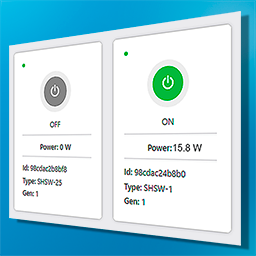
Control your Shelly devices from your WordPress site.
Automatically import your devices and you can turn on, turn off and see their consumption.
You can make it so that you or other users can access Shelly devices from a WordPress installation protected by CMS authentication and limiting the role of the users.
It is possible to assign permissions according to the user role to manage the devices in the admin menu.
It is also possible to manage Shelly devices from the front and control which user roles can do it.
Use shortcode [mcisc_devices] to display devices on any WordPress page.
Capturas

Shelly Control screen with the devices.

Settings screen.
Instalación
- Install the plugin through the WordPress plugins screen directly or upload the “Shelly Control” plugin to the / wp-content / plugins /
- Activate the plugin through the ‘Plugins’ screen in WordPress
- Use WP Shelly Control / Settings screen to configure your Shelly data.
- Use WP Shelly Control / WP Shelly Control screen to click on “Import / Update devices from Shelly Cloud” button.
- Assign the permissions for the user roles for the back and front and press “Save” button.
- Use the shortcode [mcisc_devices] on any page if you want to show your devices on the front to your users.
Comentarios

Colaboradores e desenvolvedores
“Control Shelly Devices” é un software de código aberto. As seguintes persoas colaboraron con este plugin.
Colaboradores
Traduce “Control Shelly Devices” ao teu idioma.
Interesado no desenvolvemento?
Revisa o código, bota unha ollada aorepositorio SVN, ou subscríbete ao log de desenvolvemento por RSS.
Rexistro de cambios
1.2.3
- Tested in WordPress 6.7.
1.2.2
- Compatibility with WordPress 6.4.
1.2.1
- Include new mini tutorial video in readme.txt.
1.2.0
- New Singleton pattern for more efficient and lightweight authentication.
- New test environment within development.
- New functionality to activate/deactivate some devices on the front individually in the Premium version.
1.1.1
- Compatibility with WordPress 6.3.
1.1.0
- Tested up to WordPress 6.3.
- Added Premium options with unlimited devices.
1.0.3
- Modify code format online in readme.txt.
1.0.2
- Readme shortcode format correction.
1.0.1
- Extension of the plugin description.
- Added new help texts and help images.
1.0.0
- Initial release