

Descrición
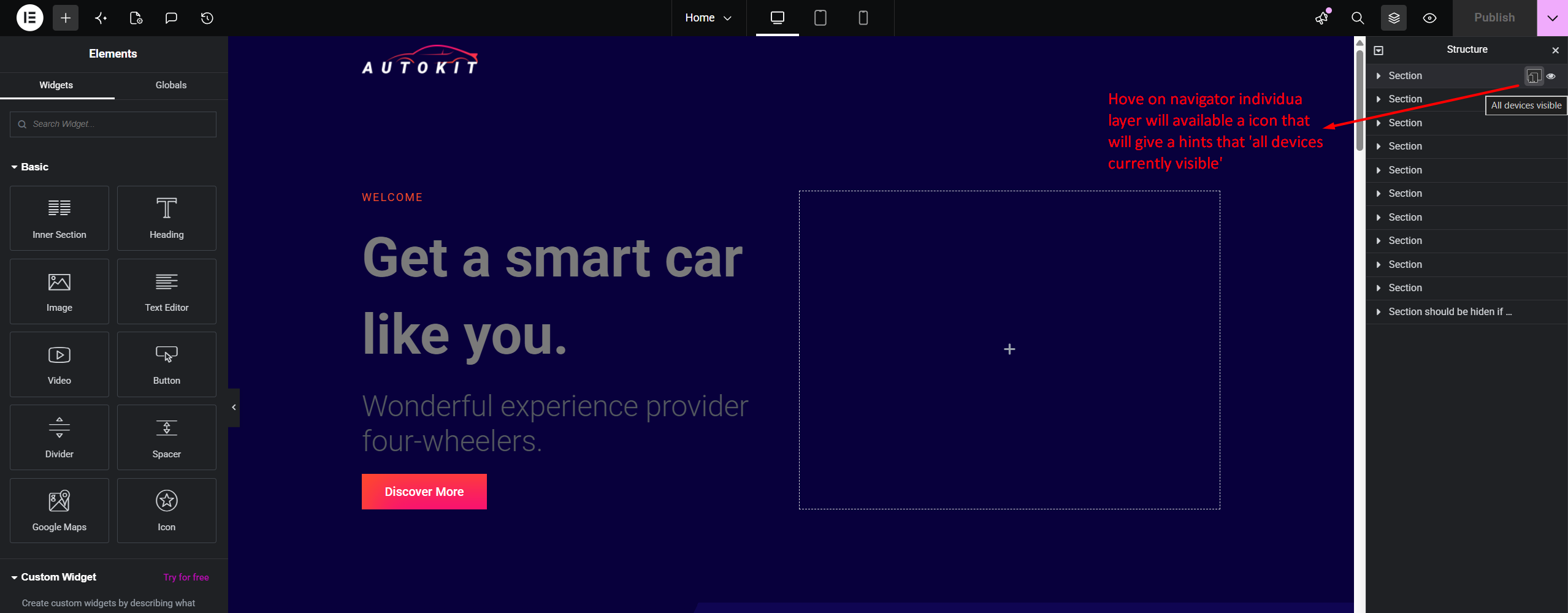
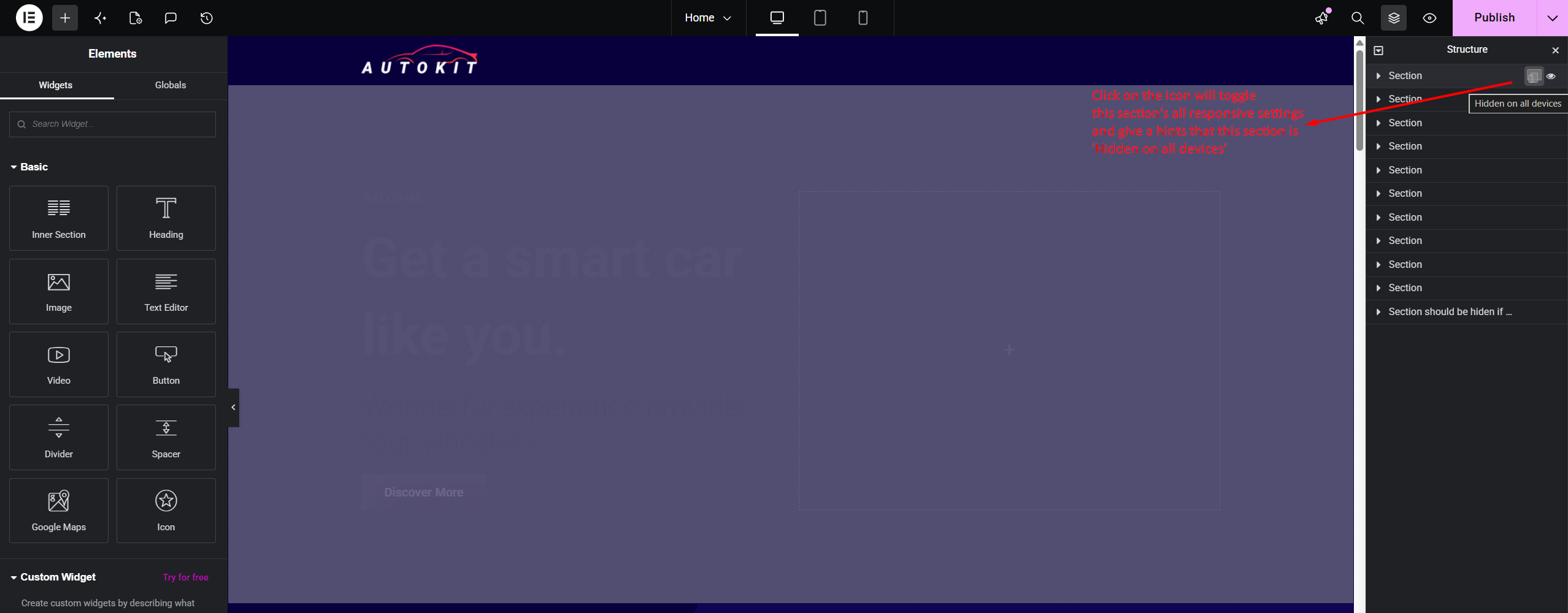
RespSync Visibility Toggle adds a fast, intuitive device visibility toggle button directly inside the Elementor Structure (Navigator) panel item rows.
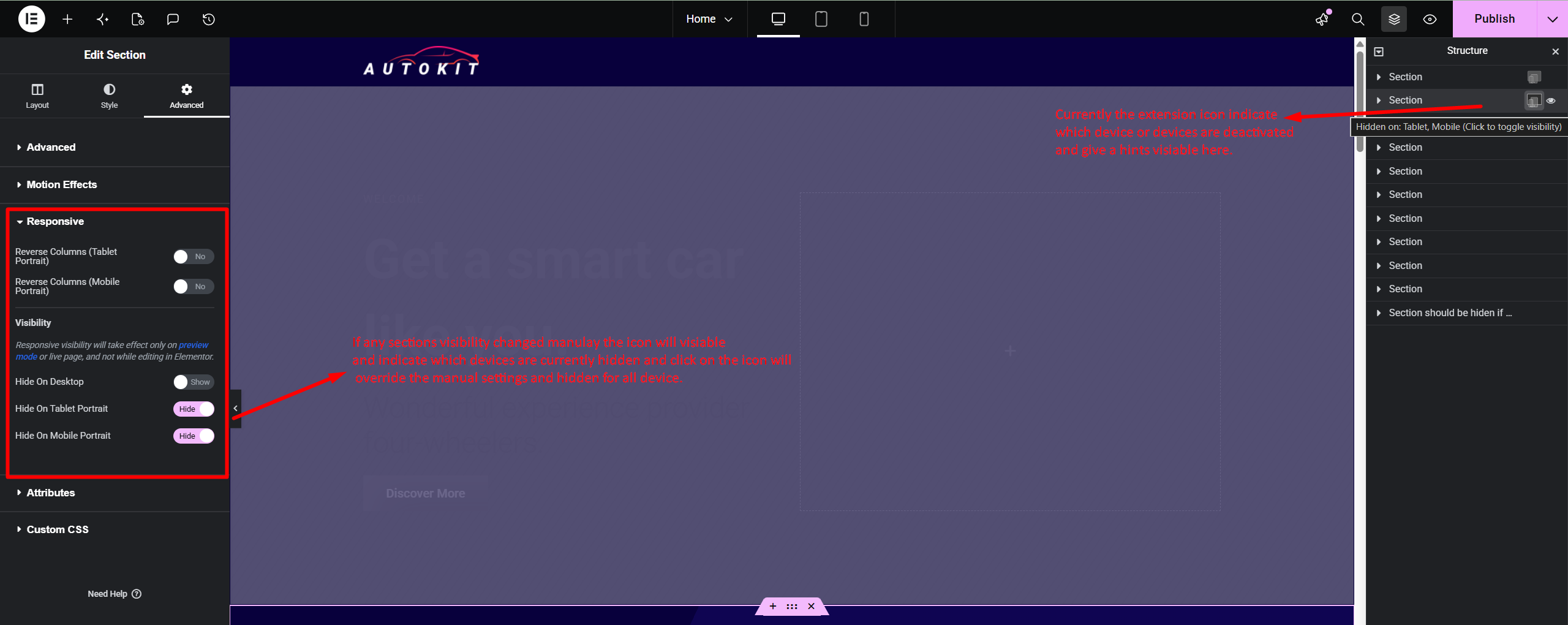
With a single click, users can check and toggle element visibility across Desktop, Tablet, and Mobile devices without navigating through multiple tab controls in the Elementor settings panel.
Key Features
- Navigator Panel Integration: Instant access directly on Navigator tree items.
- Dynamic Multi-Device Status: Visual device icon indicator showing active and hidden states.
- One-Click Toggle: Show or hide elements across all device breakpoints instantly.
- Native Synchronization: Seamlessly updates Elementor settings model and marks document as modified for saving.
- Lightweight & Fast: Pure JavaScript integration with zero overhead on front-end performance.
Capturas
Instalación
- Upload the
respsync-visibility-toggle-for-elementordirectory to the/wp-content/plugins/directory. - Activate the plugin through the ‘Plugins’ menu in WordPress.
- Open any page in the Elementor Editor and view the Structure (Navigator) panel.
Preguntas frecuentes
-
Does this plugin affect site loading speed?
-
No. The plugin only loads within the Elementor Editor environment and adds zero JavaScript or CSS assets to your public front-end site.
-
Does it require Elementor Pro?
-
No, it works seamlessly with both Elementor Free and Elementor Pro.
Comentarios

Colaboradores e desenvolvedores
“RespSync Visibility Toggle for Elementor” é un software de código aberto. As seguintes persoas colaboraron con este plugin.
Colaboradores
Traduce “RespSync Visibility Toggle for Elementor” ao teu idioma.
Interesado no desenvolvemento?
Revisa o código, bota unha ollada aorepositorio SVN, ou subscríbete ao log de desenvolvemento por RSS.
Rexistro de cambios
1.0.0
- Initial public release.