

Descrición
Pressria is a web-to-print product designer for WooCommerce. Your customers
personalize a product directly on your own product page, and you get a
print-ready production file for every order they place.
The work it removes
Selling personalized products usually turns into an email thread. The customer
sends a low-resolution logo, you rebuild it by hand, you send back a proof, they
ask for one more change, and the file still reaches the printer wrong. The
customer never really saw what they were buying.
Pressria moves that work onto the product page. What the customer sees on screen
is what gets produced, and the production file is generated the moment the order
is paid.
How it works
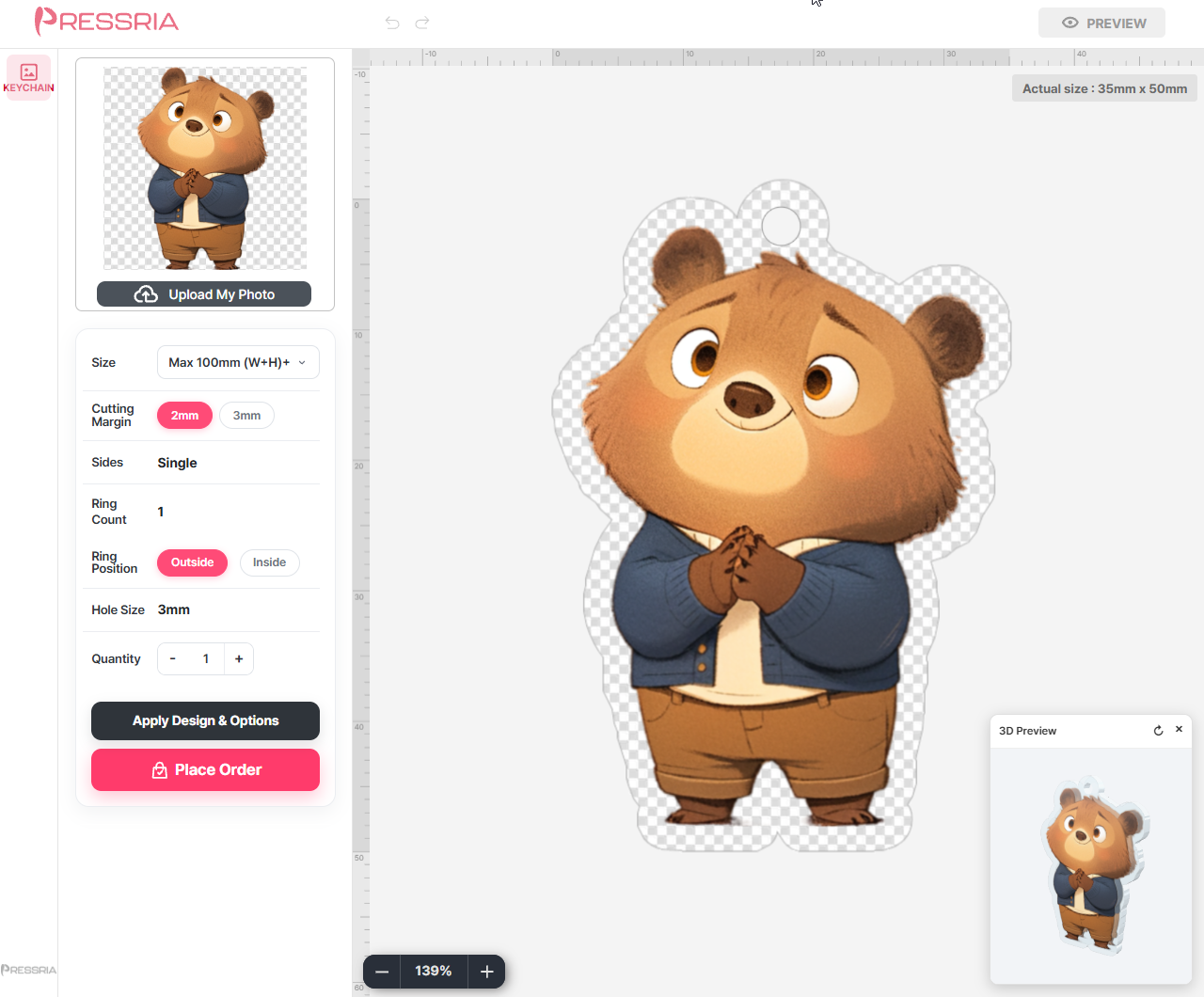
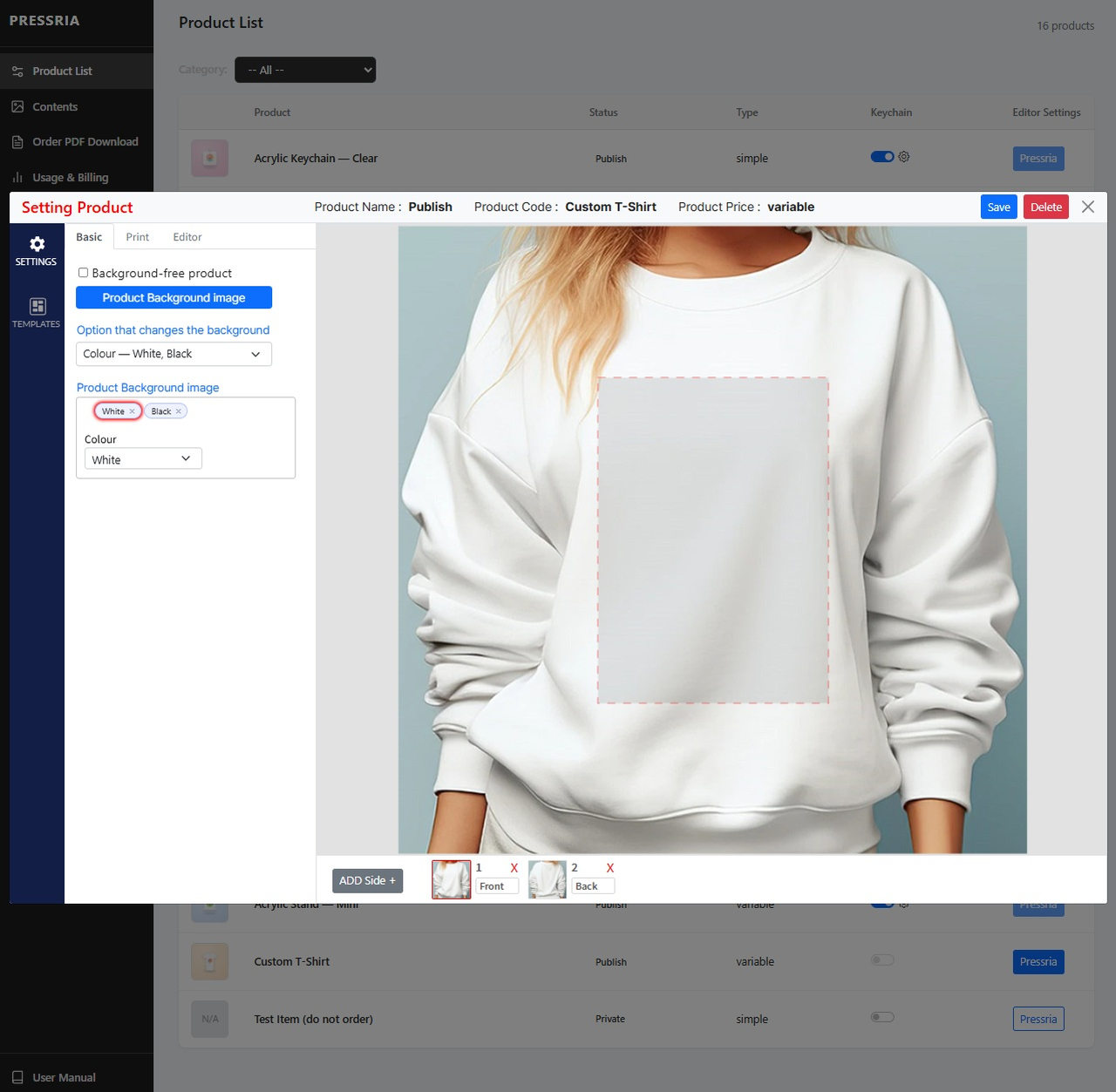
- Enable a product in the Pressria admin and define its printable area.
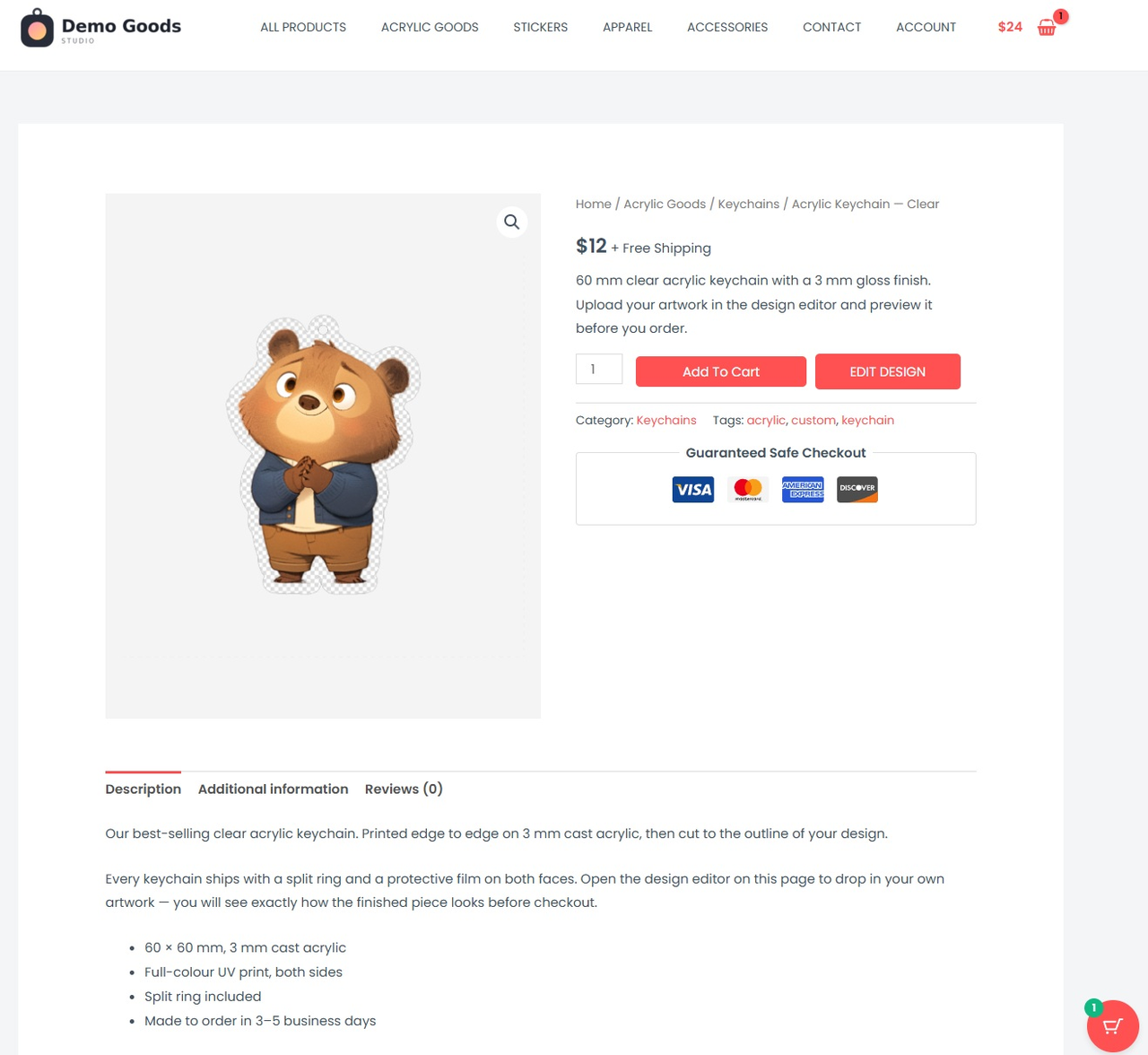
- An Edit Design button appears next to Add to Cart on that product’s page.
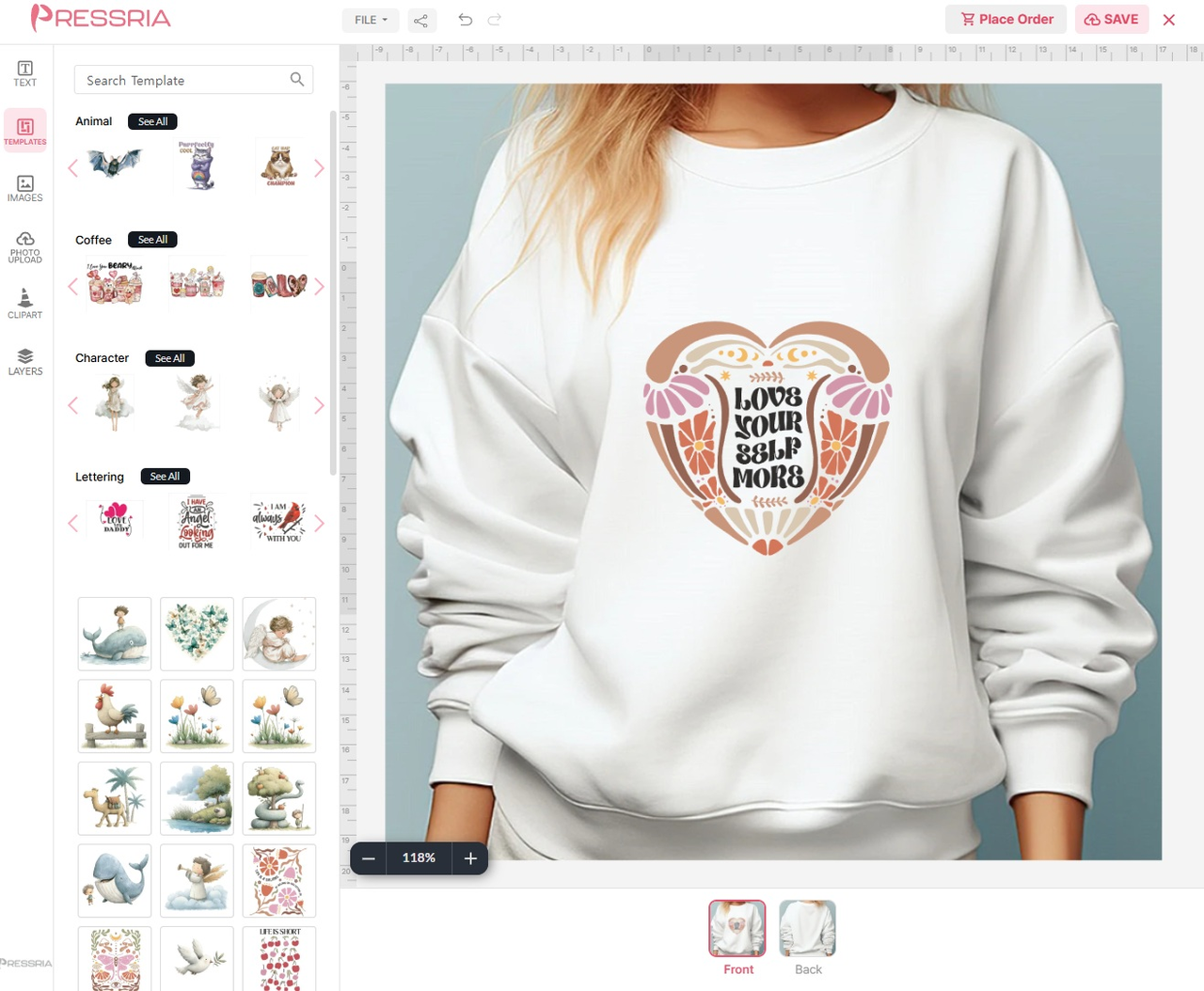
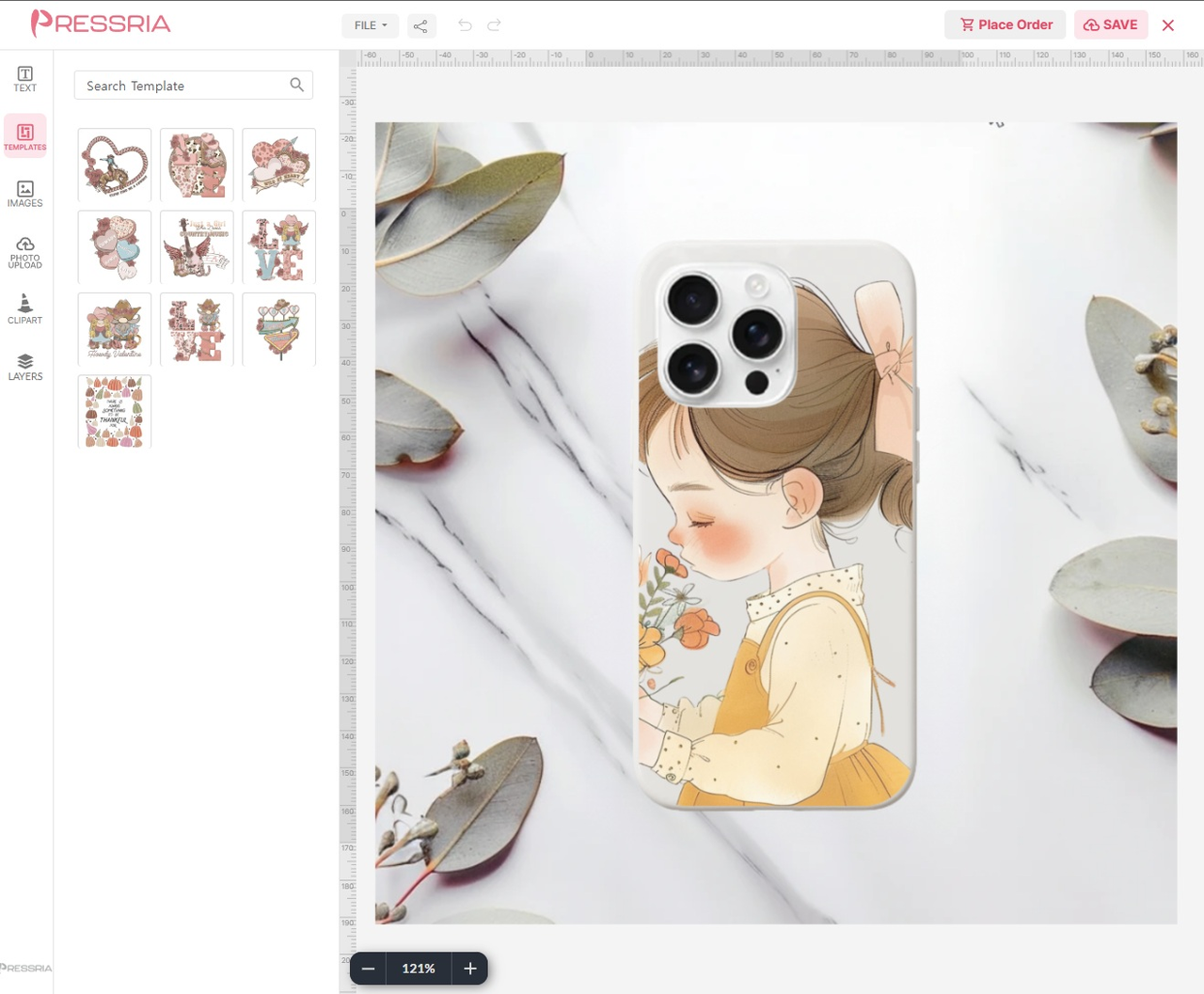
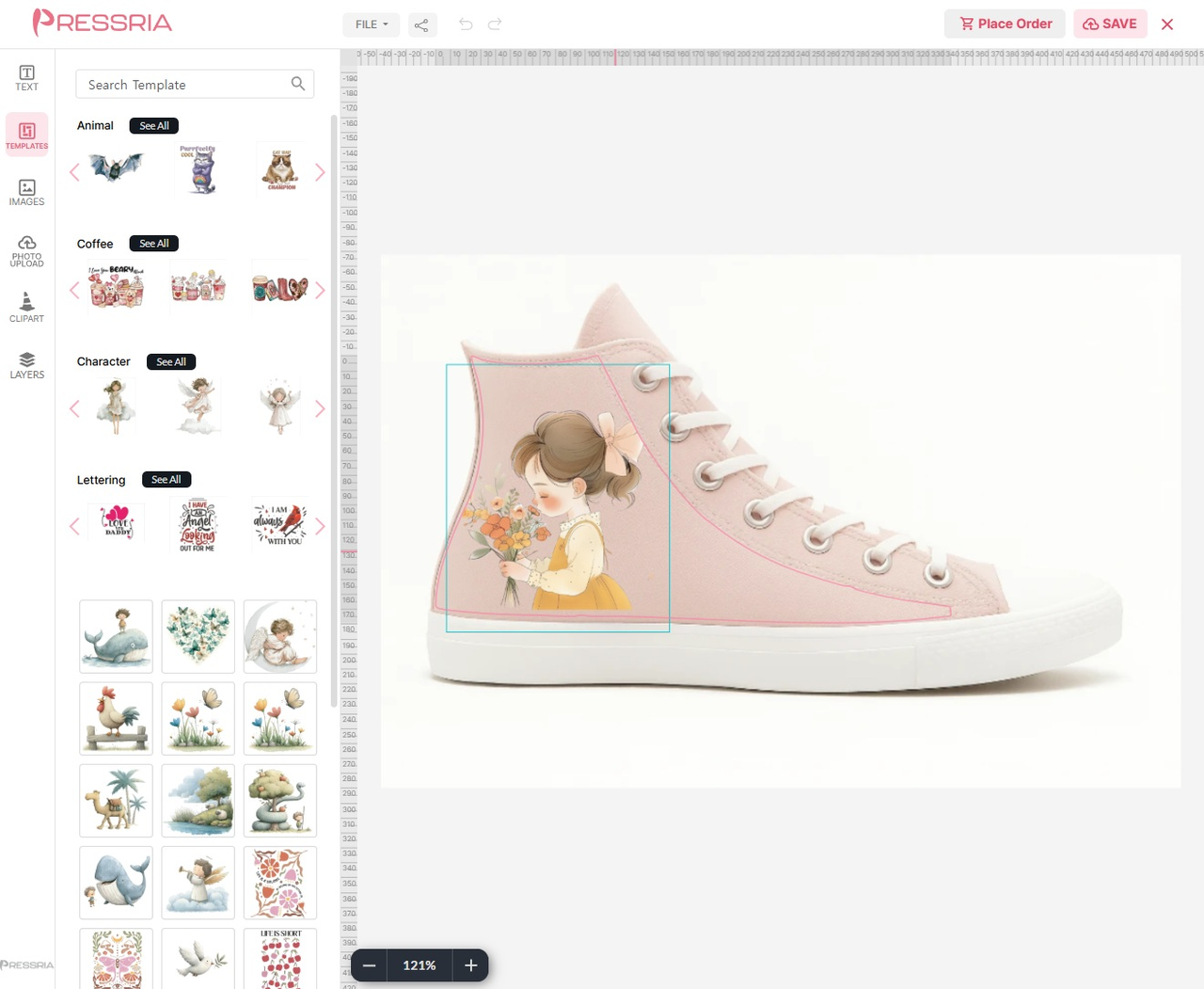
- The customer adds images and text, and previews the result on that product’s
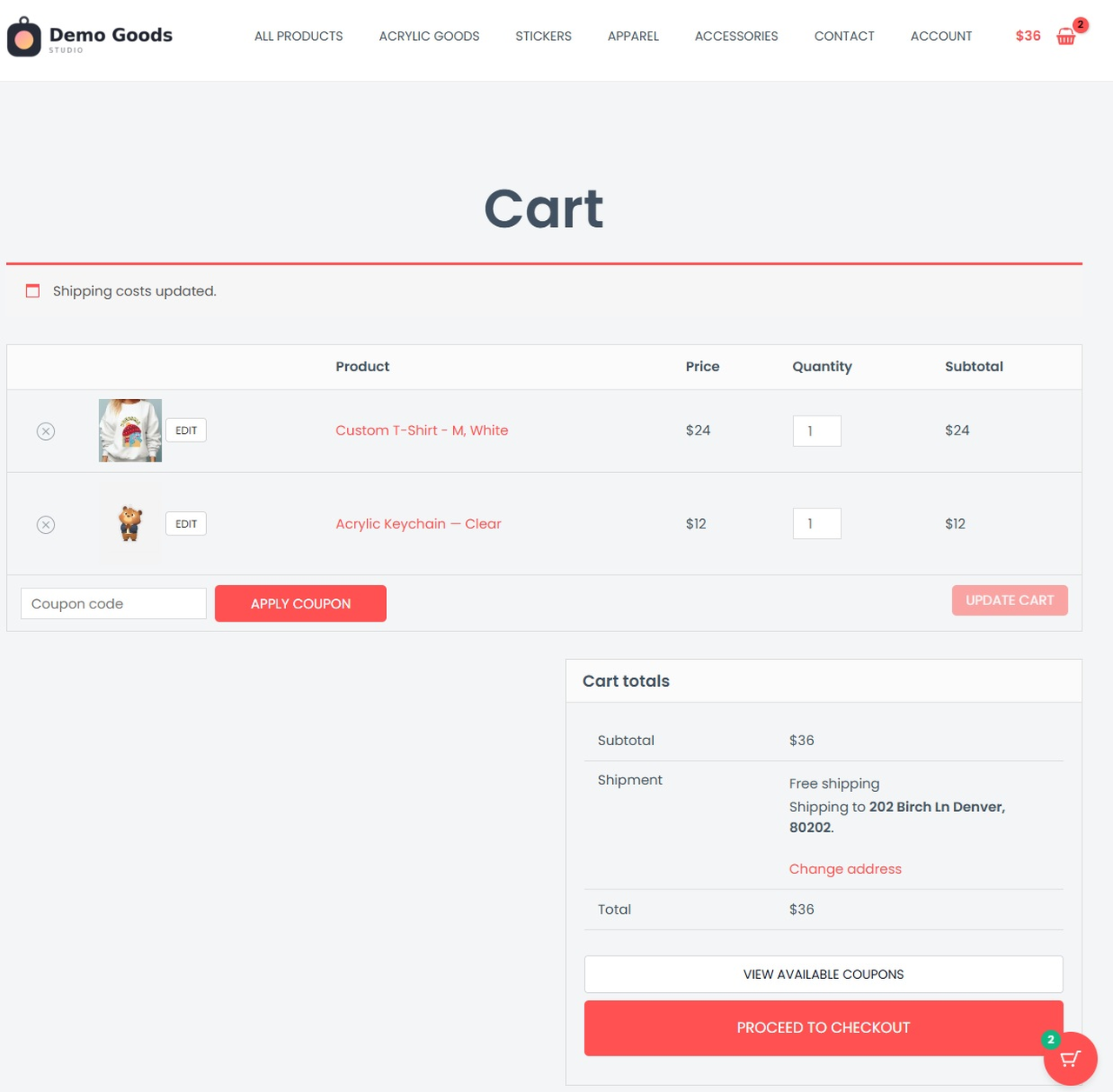
own mockup. - The finished design follows the line item into the cart, through checkout and
onto the order. - When the order is paid, the production file is generated automatically, with
cut lines applied for die-cut products.
Try the editor before you install
These sample products open the same editor your customers would use. They open in
a new tab, with no account and nothing to install:
More sample products, including a tote bag and a mug, are on the
Pressria demo page.
Features
- Product designer on your existing WooCommerce product pages. No separate
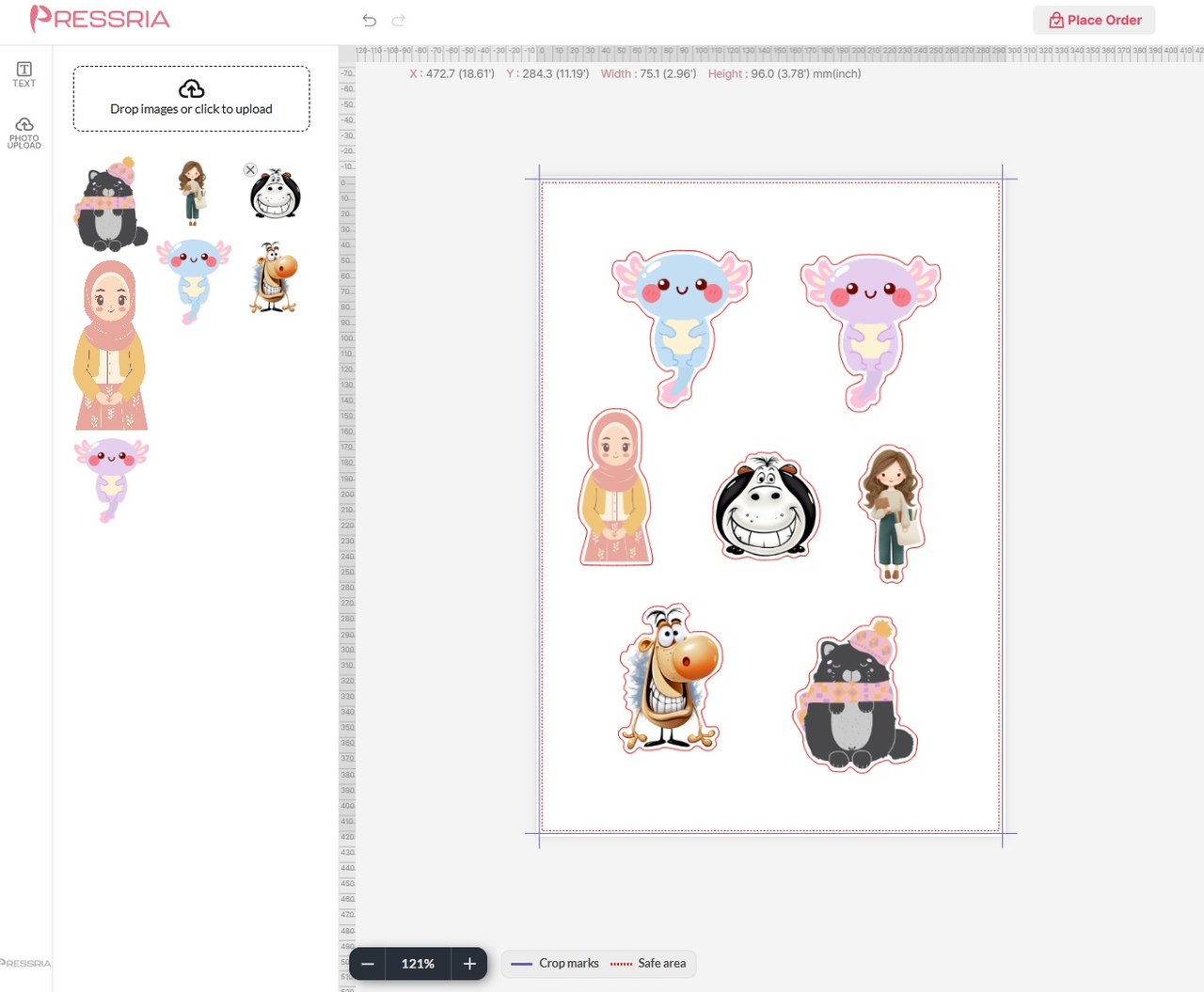
storefront, no theme rebuild, no page builder required. - Print-ready output. A production PDF for every completed design, with cut
lines for die-cut items such as stickers, acrylic goods and keychains. - Printable area control. You define the print area per product, and the editor
keeps the artwork inside it. - Per-product mockups. Each product previews on its own mockup rather than a
generic template. - Variable product support. The editor opens with the variation the customer
selected, and design templates are matched to the option they chose. - Designs visible everywhere. Thumbnails appear in the cart, at checkout, on
order pages, in order emails and in the WordPress admin order screen. - Bulk product sync. Send your existing WooCommerce catalog to Pressria in one
pass instead of enabling products one at a time. - Reliable order handoff. Failed transmissions retry in the background through
Action Scheduler and are recorded as order notes. - No design software needed, for you or for your customers.
Which products can customers design?
Apparel, phone cases, footwear, keychains, acrylic goods, and die-cut stickers
and sticker sheets.
The list is not fixed. Any WooCommerce product can be enabled once you define
its printable area and its mockup, so the same editor covers whatever your
catalog sells.
Already have artwork in Adobe Illustrator?
Pressria’s free Illustrator plugin uploads .ai and .eps files as editable
templates, in bulk, generating thumbnails and design areas automatically. It is
optional – you can set up every product from the plugin settings screen without
any design software.
Get the Illustrator plugin on Adobe Exchange
Pricing
Pressria charges a monthly plan fee plus usage. Usage is billed only when a
customer completes a personalized design and the print file is produced – not for
every order.
The Free plan has no monthly fee and no setup fee, and includes the first 20
designs free every 30 days. After that, each completed design costs a percentage
of that item’s price, never more than $5.00 per design. The paid plans – Studio,
Scale and Pro – lower both the rate and the per-design minimum, and each comes
with a 14-day free trial. The full rates are in the FAQ below.
Every plan has a usage billing cap that you approve up front, so your usage can
never run past the amount you agreed to. The monthly fee is billed separately
from that cap.
A completed design is counted once, when the print file is produced, not per
printed copy. One design ordered in a quantity of 1,000 is still one charge.
If an order is cancelled, or a line item is fully refunded, the percentage fee is
waived and only the per-design minimum applies, since the print file has already
been produced.
Usage limits and the free allowance reset every 30 days. Use of this plugin
requires a Pressria account, which is created from the plugin settings screen.
External services
This plugin relies on Pressria to provide its web-to-print functionality and
cannot work without it. Requests from your site go to the Pressria API at
pod.pressria.com over HTTPS, and finished design images are loaded by your
visitors’ browsers from cdn.pressria.com.
- Activation and connection: site URL and a randomly generated install token on
activation, plus shop name, administrator email address, shop logo URL and
language when you connect, so the shop can be registered. - Products: product ID, name, status, type, thumbnail URL, categories, permalink
and, for variable products, the option names and values, sent when a product is
created, updated, deleted or synced; the product ID alone is checked on a
product page view. No prices, stock levels or customer data. - Design editor: site URL, product ID, a timestamp and a signature, sent when a
customer opens the editor. The editor loads from Pressria in a frame and stores
the content the customer adds to the design. - Orders: order ID and number, status, currency, order total, payment date and,
per line item, the product, quantity, line total and design references, sent
when an order is paid, cancelled, refunded or restored. Line amounts are used
to calculate the usage-based fee described under Pricing.
Customer personal data – name, email address, phone number and shipping address –
is never transmitted.
Pressria is a third-party service, independent of WordPress.org. By connecting a
shop and using these features you agree to Pressria’s terms and privacy policy:
- Terms of Service: https://goods.pressria.com/terms/
- Privacy Policy: https://goods.pressria.com/privacy/
Capturas
Instalación
- Install and activate the plugin. WooCommerce must be active first.
- Open Pressria in the WordPress admin menu.
- Create or connect your Pressria account from the settings screen. Your shop is registered with Pressria and the free plan is applied.
- Open the Product Manager, enable the products you want to make customizable, and define the print area for each one.
- Optionally use Sync All Products to send your existing WooCommerce products to Pressria in one pass.
An Edit Design button then appears on the product page of every enabled product. Your shop caches whether a product is editable, so a newly enabled product can take a few minutes to show the button – Refresh Product Status on the settings screen applies the change immediately.
Full documentation is available in the Pressria admin under User Manual, or in the online user manual.
Preguntas frecuentes
-
What is Pressria for WooCommerce?
-
It is a web-to-print product designer for WooCommerce. Customers personalize a
product on your product page, and Pressria returns a print-ready production file
for every order, with cut lines applied for die-cut products. -
Can I try the editor before installing?
-
Yes. The sample products listed in the description open the same editor your
customers would use, in a new tab, with no account and nothing to install. More
samples are on the Pressria demo page. -
Which products can customers design?
-
Apparel, phone cases, footwear, keychains, acrylic goods, and die-cut stickers
and sticker sheets. Any WooCommerce product can be enabled once you define its
printable area and mockup, so the list is not limited to those categories. -
Do I need a separate storefront or page builder?
-
No. The design editor opens from your existing WooCommerce product pages. You do
not rebuild your theme, and no page builder is required. -
What does it cost?
-
Nothing to install. Pressria charges a monthly plan fee plus usage, and usage is
billed only when a customer completes a personalized design and the print file is
produced – not for every order.Every plan caps a single design at $5.00, and the usage cap is an amount you
approve up front, billed separately from the monthly fee:- Free – $0 per 30 days. 5% of each personalized item’s price, minimum $0.05.
First 20 designs free every 30 days. Usage cap $100 per 30 days. - Studio – $39 per 30 days. 3% per design, minimum $0.03. Usage cap $250.
- Scale – $129 per 30 days. 1.8% per design, minimum $0.02. Usage cap $800.
- Pro – $349 per 30 days. 1.1% per design, minimum $0.02. Usage cap $5,000.
The paid plans each include a 14-day free trial. Usage limits reset every 30
days.A completed design is counted once, when the print file is produced, not per
printed copy. One design ordered in a quantity of 1,000 is still one charge, and
the $5.00 maximum applies to it.Amounts are defined in USD and converted at the exchange rate captured when the
design is completed, so orders in other currencies are charged the equivalent. - Free – $0 per 30 days. 5% of each personalized item’s price, minimum $0.05.
-
Where do I see what I have been charged?
-
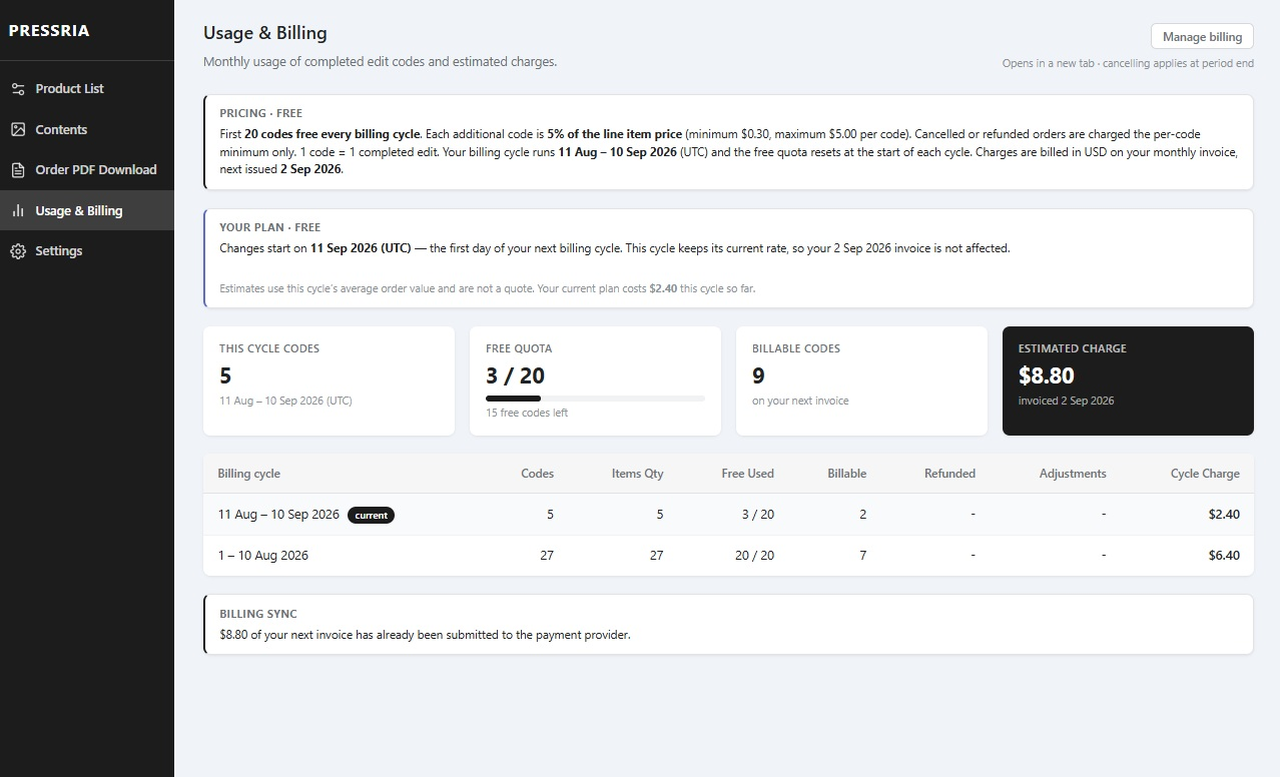
In the Pressria admin under Usage & Billing. It shows the current cycle’s
completed designs, how much of the free allowance is left, the estimated charge
for the cycle, and a per-cycle history with refunds and adjustments.Your billing cycle runs in 30-day periods that start the day you connect, not on
the 1st of the month. The free allowance and the usage cap reset with each new
period. -
Is a Pressria account required?
-
Yes. The plugin creates an account for you from the plugin settings screen and
cannot provide web-to-print functionality without connecting to Pressria. -
How do I set up the products customers can design?
-
You enable a product in the Pressria admin and define its printable area. From
then on, an Edit Design button appears on that product’s page in your store.If your artwork already lives in Adobe Illustrator, Pressria’s free Illustrator
plugin uploads .ai and .eps files as editable templates, in bulk, generating
thumbnails and design areas automatically. It is not required – you can set up
products from the plugin settings screen without any design software. -
Does the plugin send customer personal information?
-
No. Order data sent to Pressria contains the order identifiers, amounts and the
design references needed for production, but not the customer’s name, email
address, phone number or shipping address. -
Why does the plugin send order amounts to Pressria?
-
Pressria’s usage fee is a percentage of the customized line item’s sale amount –
what the customer actually paid, after discounts and excluding tax – with a
per-design minimum and maximum. Sending the line amounts is what makes usage-based
pricing possible: there is no charge on your catalog, your stock, or designs that
never sell. Current usage and the estimated charge for the period are always
visible in the Pressria admin under Usage & Billing. -
What happens if the connection fails when an order is paid?
-
The plugin retries in the background up to five times using Action Scheduler,
which is bundled with WooCommerce. Failures are recorded as order notes.
Comentarios
Non hai recensións para este plugin.
Colaboradores e desenvolvedores
“Pressria – Web to Print Product Designer for WooCommerce” é un software de código aberto. As seguintes persoas colaboraron con este plugin.
Colaboradores
Traduce “Pressria – Web to Print Product Designer for WooCommerce” ao teu idioma.
Interesado no desenvolvemento?
Revisa o código, bota unha ollada aorepositorio SVN, ou subscríbete ao log de desenvolvemento por RSS.
Rexistro de cambios
1.0.3
- Scheduled background jobs are now cancelled when the plugin is deactivated.
Previously they stayed in the WordPress cron table after deactivation. - Deleting the plugin now removes the settings, cached product states and
product metadata it created. Order records are deliberately left untouched,
so past orders keep showing which design they were produced from. - Requires WordPress 6.5 or later, which is the version that enforces the
WooCommerce dependency declared by this plugin.
Earlier releases are listed in changelog.txt, included with the plugin.