
Descrición
Genial Comments lets you add Disqus-powered discussions or use your WordPress
theme’s built-in commenting system. Choose your preferred provider, configure
comment loading, and optionally customize the appearance of native WordPress
comments.
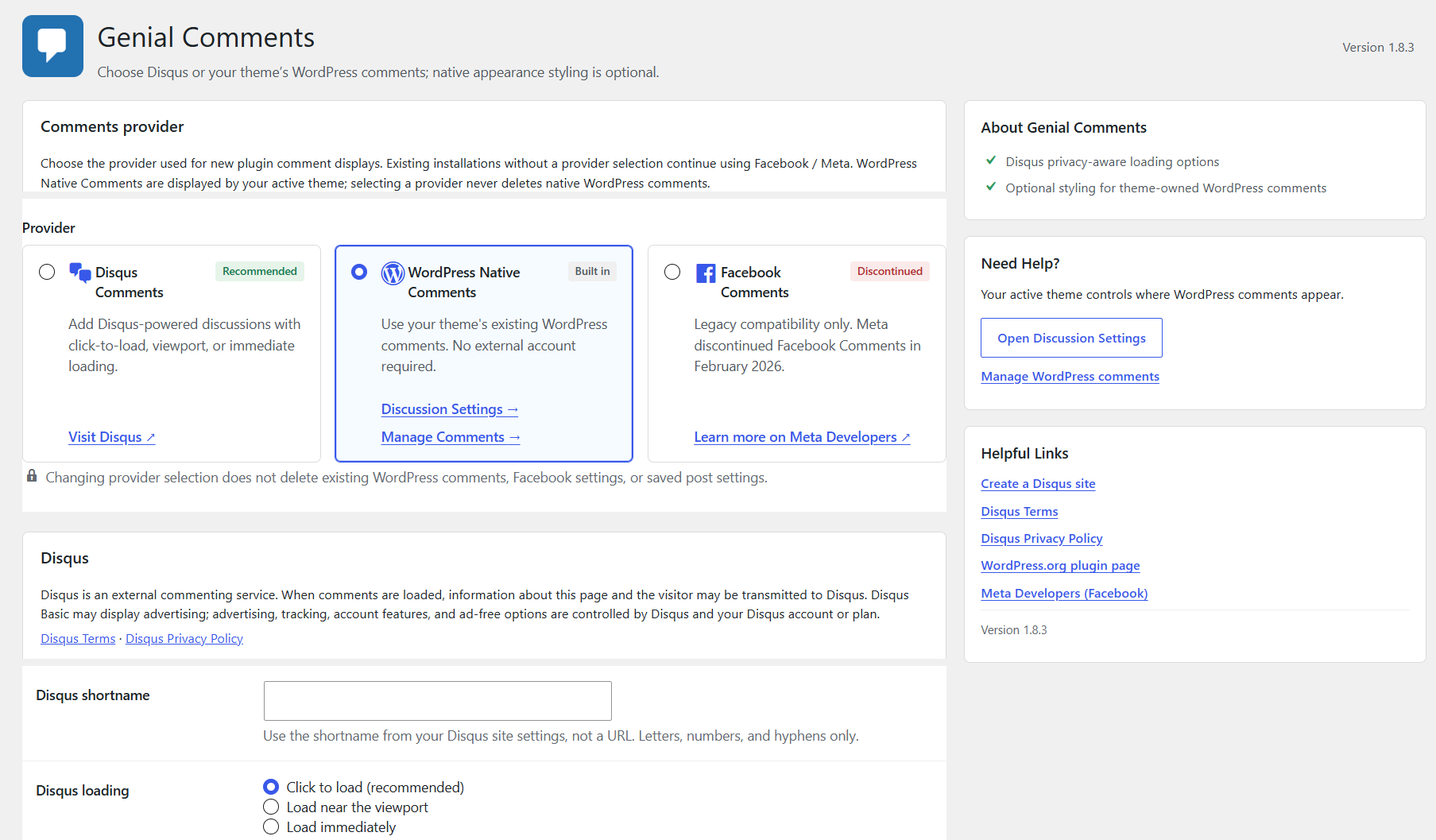
Disqus supports privacy-aware loading options, including click-to-load,
viewport-based loading, and immediate loading. WordPress Native Comments uses your
theme’s existing comment area and WordPress’s built-in moderation and Discussion
settings.
Legacy Facebook Comments settings are preserved for compatibility. Meta
discontinued the Facebook Comments Plugin in February 2026, so Facebook commenting
is no longer functional.
Features
Disqus
- Add Disqus-powered discussions using your Disqus shortname.
- Choose click-to-load, viewport-based, or immediate loading.
- Disqus is an external service and may receive page and visitor information when comments are loaded. Disqus Basic may display advertising; see External services below.
WordPress Native Comments
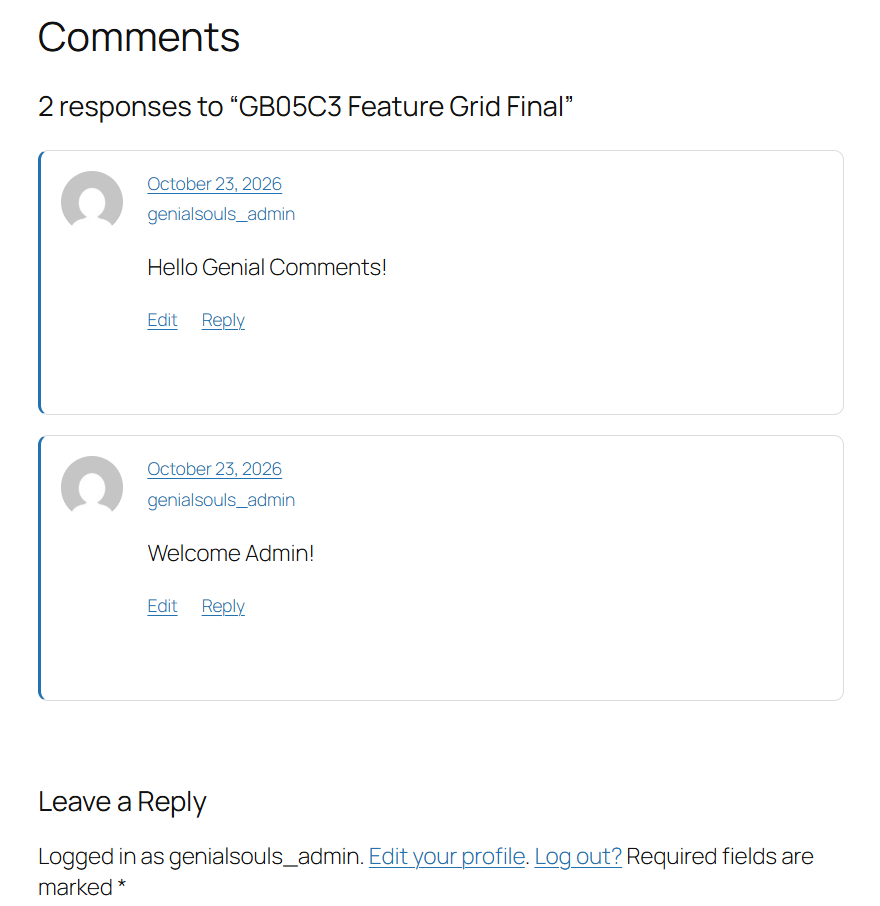
- Use WordPress’s existing comments without an external account.
- Comment placement remains controlled by your active theme or template.
- WordPress continues to manage moderation and Discussion settings.
- Existing replies and threaded comments remain part of WordPress’s comment system.
- The plugin does not insert a second native comments area.
Optional Native Appearance
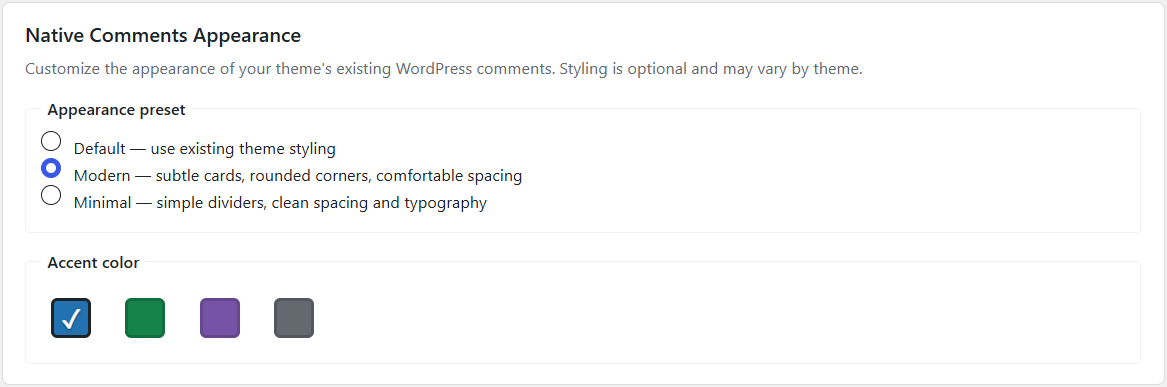
- Styling is disabled by default; Default preserves your theme’s existing styling.
- Modern and Minimal presets provide optional visual styling.
- Choose Blue, Green, Purple, or Neutral accent colors with an appearance preset.
- Results depend on the active theme and its comment markup; universal theme compatibility is not claimed.
Compatibility
- Existing Facebook settings and provider settings are preserved when switching providers.
- The existing
[gs-fb-comments]shortcode remains available for external providers. - Switching providers does not delete or migrate WordPress comments.
External services
The legacy Facebook provider may request Meta’s Facebook JavaScript SDK at
connect.facebook.net and, when its optional cache-refresh setting is enabled,
send the public post URL to Meta’s developer debugger endpoint. Meta’s service
may receive the visitor’s IP address, browser information, page URL, referrer,
cookies, account state, locale, and optional App ID. Meta discontinued the
Facebook Comments Plugin in February 2026, so this legacy integration no longer
provides functional Facebook comments. Review Meta’s policies:
When Disqus is selected, this plugin loads the Disqus Universal Embed script
from the configured HTTPS Disqus shortname when comments are activated by the
selected loading mode. Disqus may receive information about the page and
visitor, and Disqus Basic may display advertising. Review the Disqus policies:
WordPress Native Comments uses the site’s own WordPress installation and does
not connect to an external commenting service.
Capturas
Instalación
- Upload the
gs-facebook-commentsfolder to the/wp-content/plugins/directory. - Activate the plugin through the Plugins menu in WordPress.
- Open the Genial Comments settings page in the WordPress dashboard.
- Choose Disqus, WordPress Native Comments, or the preserved Facebook legacy option. New installations use Disqus; enter your Disqus shortname before loading comments.
- Configure post types and, for the external providers, use the existing
[gs-fb-comments]shortcode for manual placement. - For WordPress Native Comments, keep placement in your active theme or template; this plugin does not add a comments section.
Preguntas frecuentes
-
How do I use WordPress Native Comments?
-
Select WordPress Native Comments in the provider settings. WordPress uses its
existing comment records and Discussion settings, and comments are displayed by
your active theme. This plugin does not automatically insert a comments area or
provide a native-comments shortcode. If your theme or template does not display
comments, configure its comments area there. -
Does Genial Comments automatically display WordPress Native Comments?
-
No. WordPress Native Comments uses the comments area provided by your active theme
or template. If your theme does not display comments, configure its comments area.
Genial Comments does not insert a second native comments section. -
Can I customize native comments?
-
Yes. Select WordPress Native Comments and choose an optional appearance preset.
Modern and Minimal styles provide basic visual customization, with four accent
colors. Default preserves your theme’s original styling. Results may vary depending
on the active theme. -
Will switching providers delete existing WordPress comments?
-
No. Switching providers does not delete WordPress comments or existing saved
provider settings. -
Can I show external provider comments on pages?
-
Yes. The existing
[gs-fb-comments]shortcode remains available for manual
placement with the external providers. Selecting WordPress Native Comments leaves
native placement to the theme. -
Does Disqus require an API key?
-
No. Basic Disqus embedding requires a Disqus shortname, not an API key. API
credentials and synchronization are not part of this plugin integration.
Comentarios


Colaboradores e desenvolvedores
“Genial Comments” é un software de código aberto. As seguintes persoas colaboraron con este plugin.
Colaboradores

“Genial Comments” foi traducido a 1 idioma. Grazas aos desenvolvedores polas súas contribucións.
Traduce “Genial Comments” ao teu idioma.
Interesado no desenvolvemento?
Revisa o código, bota unha ollada aorepositorio SVN, ou subscríbete ao log de desenvolvemento por RSS.
Rexistro de cambios
1.8.3
- Added WordPress Native Comments using the active theme’s existing comments area; no second native comments section is inserted.
- Added optional Default, Modern, and Minimal native appearance presets with Blue, Green, Purple, and Neutral accent options; styling is disabled by default.
- Preserved existing provider settings, Facebook compatibility settings, the plugin slug, text domain, and shortcode while switching providers.
- Refined the provider and appearance settings interface and updated the user-facing plugin display name to Genial Comments.
1.8.2
- Added: Disqus is the default provider for new installations when no provider is configured.
- Updated: Existing installations without an explicit provider retain their legacy Facebook settings and behavior.
- Added: Actionable admin guidance for missing Disqus configuration and invalid provider values.
- Improved: Provider resolution no longer silently falls back to Facebook for invalid values.
- Improved: Admin settings presentation, Facebook discontinuation disclosures, privacy-aware loading, security, and WordPress.org compliance.
1.8.0
- Added: Disqus as a selectable commenting provider using the Universal Embed.
- Added: Privacy-aware click, viewport, and immediate Disqus loading modes.
- Updated: Provider selection preserves existing Facebook settings and legacy identifiers.
- Improved: Security, input handling, output escaping, and WordPress.org compliance.
- Improved: Compatibility with validated current WordPress and PHP environments.
- Removed: Obsolete and insecure external resources from the legacy implementation.
1.7.5 – 04/04/2024
- Fix: Shortcode comments issue fixed.
1.7.4 – 14/03/2024
- Update: Added nonce and general capability checks to the per-post setting.
- Update: Quality check done.
1.7.3 – 08/02/2023
- Fix: Minor bugs fixed.
- Update: Quality check done.
1.7.2 – 04/04/2022
- Update: EU notice message is now optional.
- Update: FB crawler is now optional.
- Added: Shortcode crawler added. (optional)
1.7.1 – 05/10/2021
- Update: Modified post types support.
- Fix: Warning messages fixed.
- Fix: Notice messages fixed.
1.7 – 28/09/2021
- New: Option to allow comments on each post.
- New: Notice for EU Facebook users.
- New: Comments background color on shortcode.
- Update: Modified post types support.
- Update: Translations updated.
- Update: Latest Facebook API and scripts.
- Fix: Bugs fixed.
1.6 – 18/09/2020
- New: Comments background color option for dark themes.
- Update: Latest Facebook API and scripts.
- Fix: Bugs fixed.
1.5 – 27/11/2019
- New: Option to show comments before SSL.
- New: Translation ready.
- Fix: Minor bugs fixed.
1.4 – 22/08/2019
- New: Completely redesigned.
- New: WordPress standardized.
- New: Security framework.
1.3 – 10/01/2019
- Update: Gutenberg ready.
- New: Pro version launched.
- Modify: Quality standards applied.
- Fix: Comments box size issue when logged in.
1.2 – 26/09/2018
- New: Now available in multi languages.
- Update: Translation updated.
- Modify: Minor changes.
- Fix: Bug fixed when update post.
1.1 – 31/07/2018
- New: shortcode [gs-fb-comments] for pages or anywhere at your site.
- Update: Translation updated.
- Modify: Minor changes.
1.0 – 07/11/2017
- First release.
- Facebook comments