
Descrición
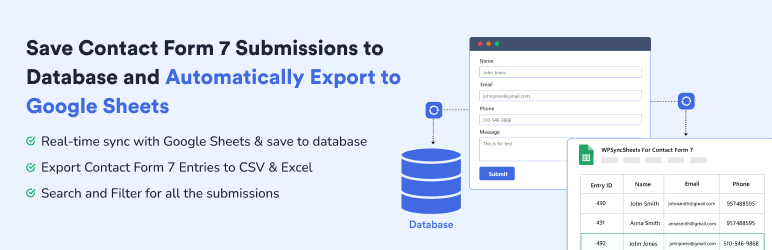
WPSyncSheets For Contact Form 7 exporta e sincroniza automaticamente os teus envíos de Contact Form 7 (CF7) nunha única folla de Google, mentres garda de xeito seguro cada entrada na túa base de datos de WordPress. O Contact Form 7 Google Sheets Connector axúdache a obter integración en tempo real con Google Sheets cun almacenamento de base de datos incorporado para evitar a perda de datos. Xestiona todas as túas entradas da base de datos de Contact Form 7 (CFDB7) nun só lugar con funcións potentes, fiables e fáciles de usar.
Se estás a buscar Google Sheets and Database Addon for Contact Form 7, este plugin é a mellor opción. Permíteche gardar e xestionar as enviaments do formulario directamente na túa base de datos de WordPress e sincronizar as entradas de Contact Form 7 con Google Sheets.
Demo | Follas de mostra | Documentación | Apoio | Pro
WPSyncSheets para Contact Form 7: características
-
Integración de Contact Form 7 con Google Sheets
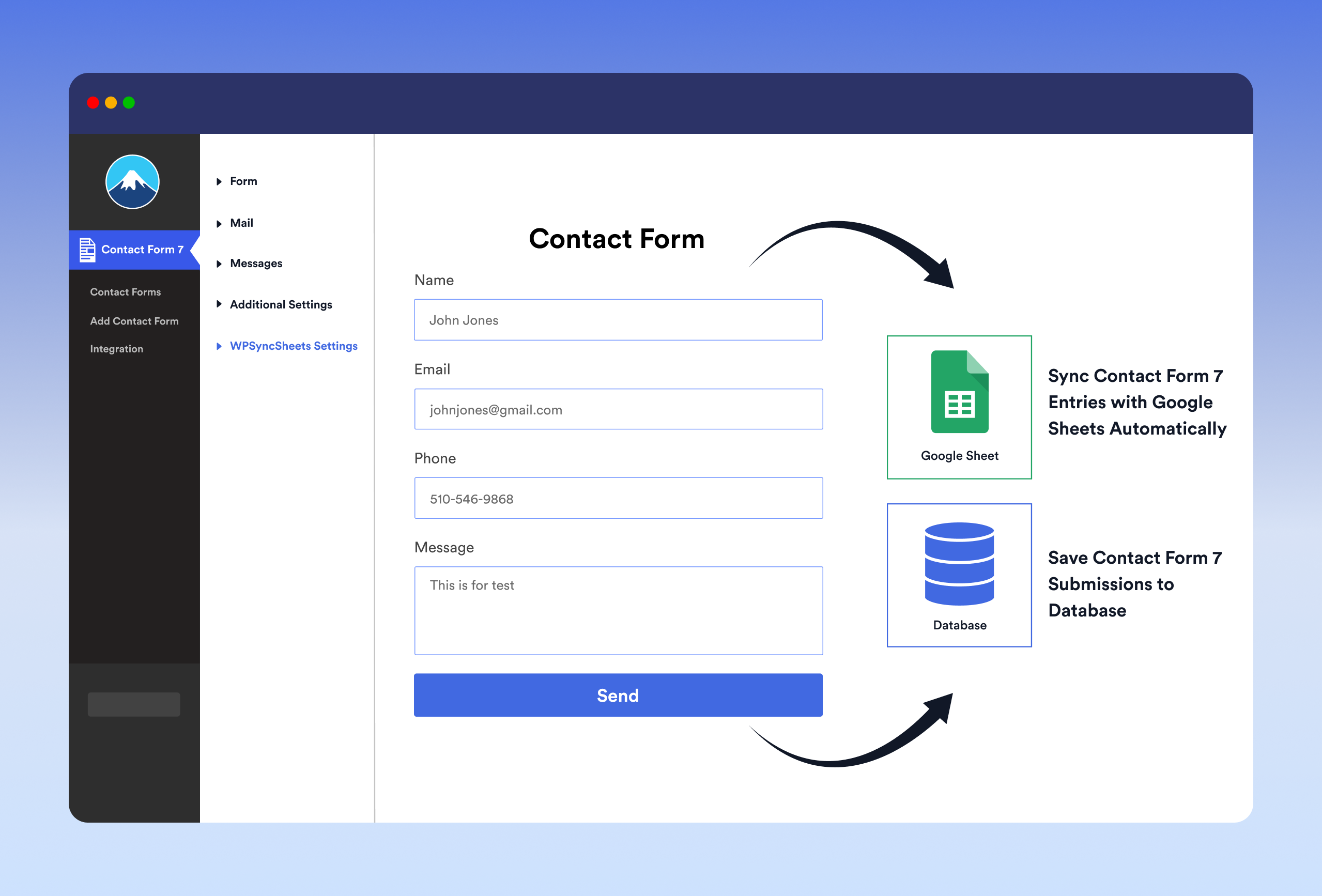
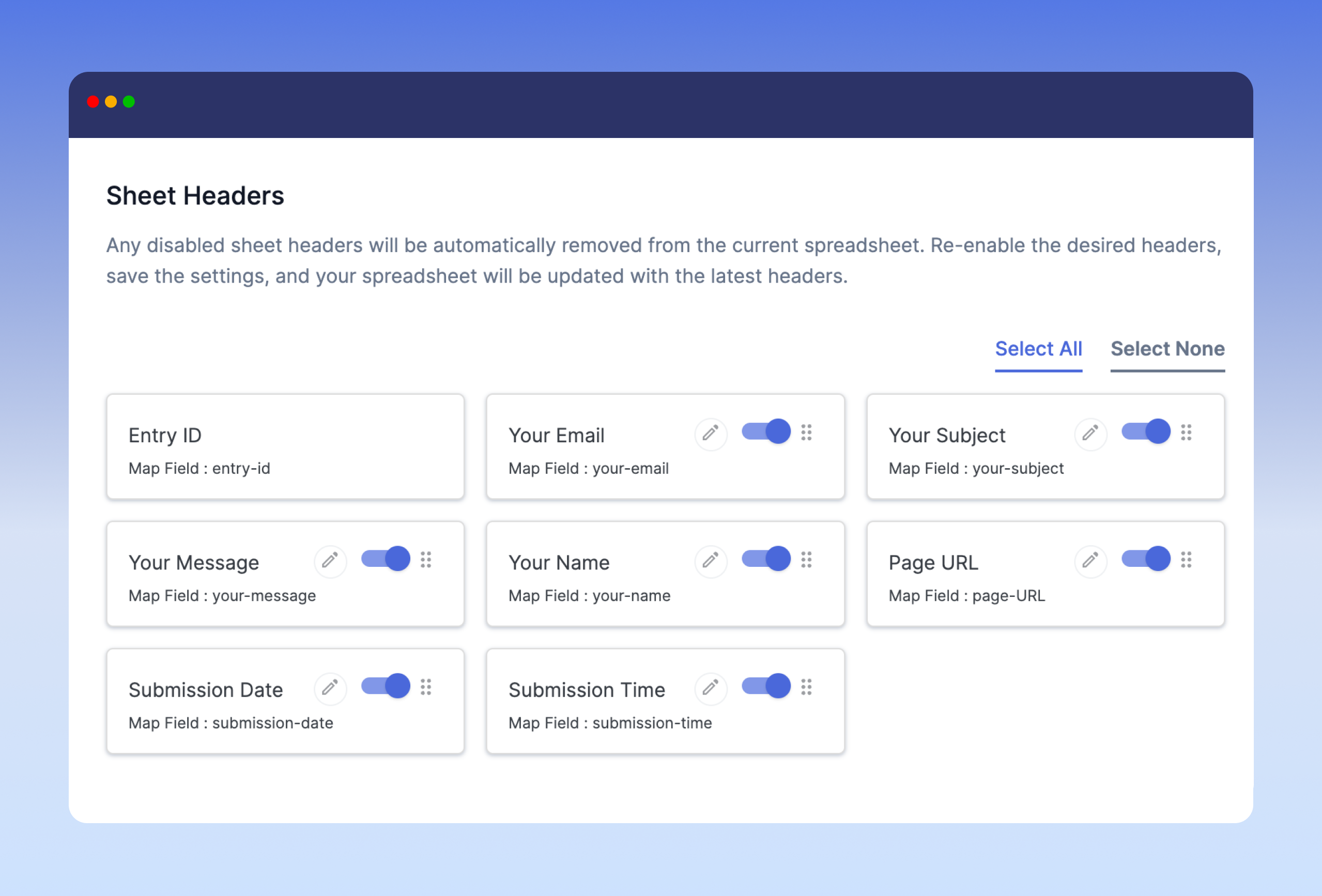
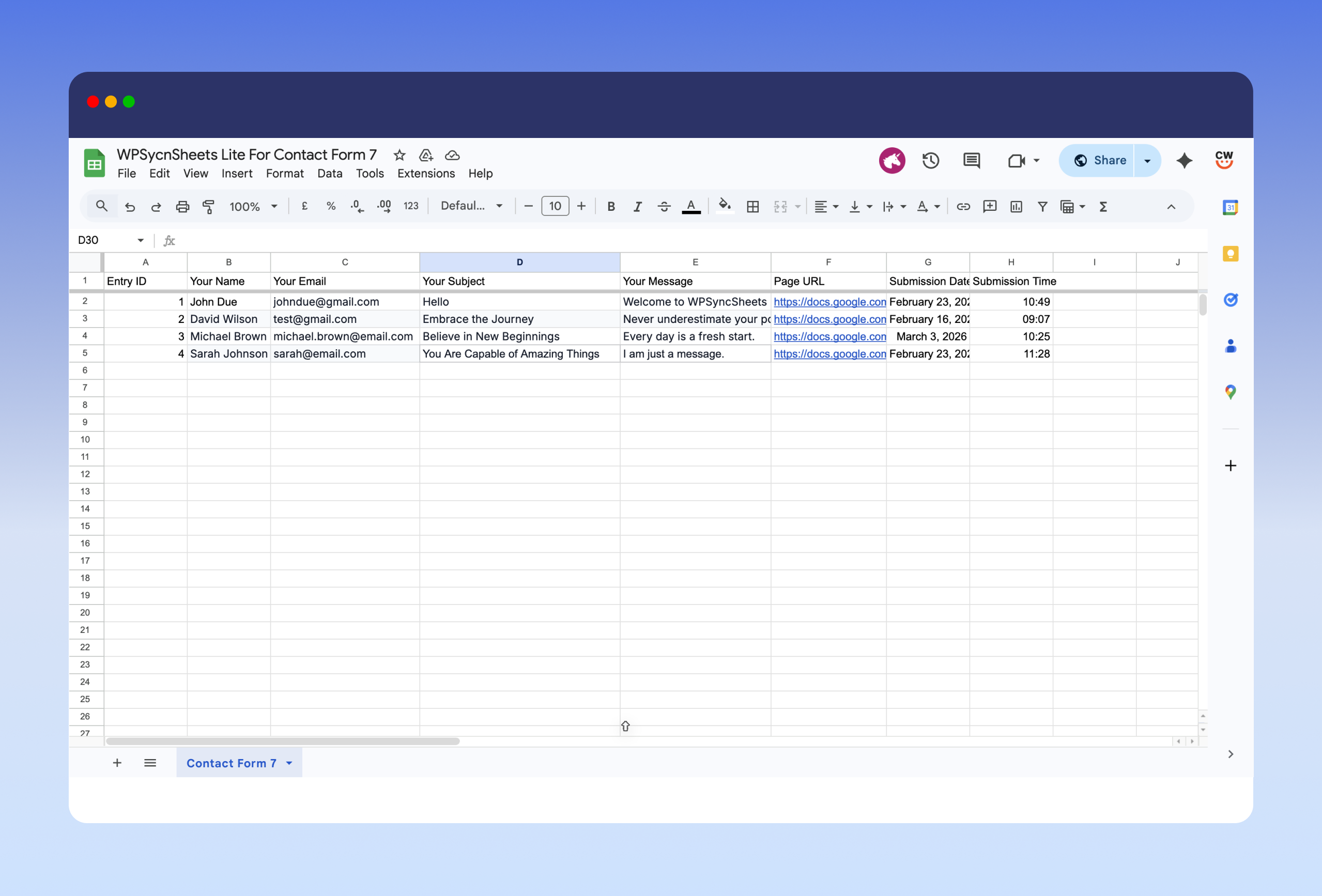
Conecta Contact Form 7 con Google Sheets e garda as entradas do formulario na base de datos en tempo real. O CF7 Google Sheets Connector tamén permite crear unha folla nova ou seleccionar unha existente, engadir pestanas novas automaticamente e asignar que campos do formulario se gardan. WPSyncSheets For Contact Form 7 actúa como un conector seguro e pode almacenar datos como nome, correo electrónico, enderezo IP, URL da páxina e data de envío. Os datos sincronízanse ao instante mediante unha autenticación segura de Google, e o autor do plugin non almacena ningunha conta de Google nin datos de Drive. -
One-Click Google Sheets Connection & Setup Wizard
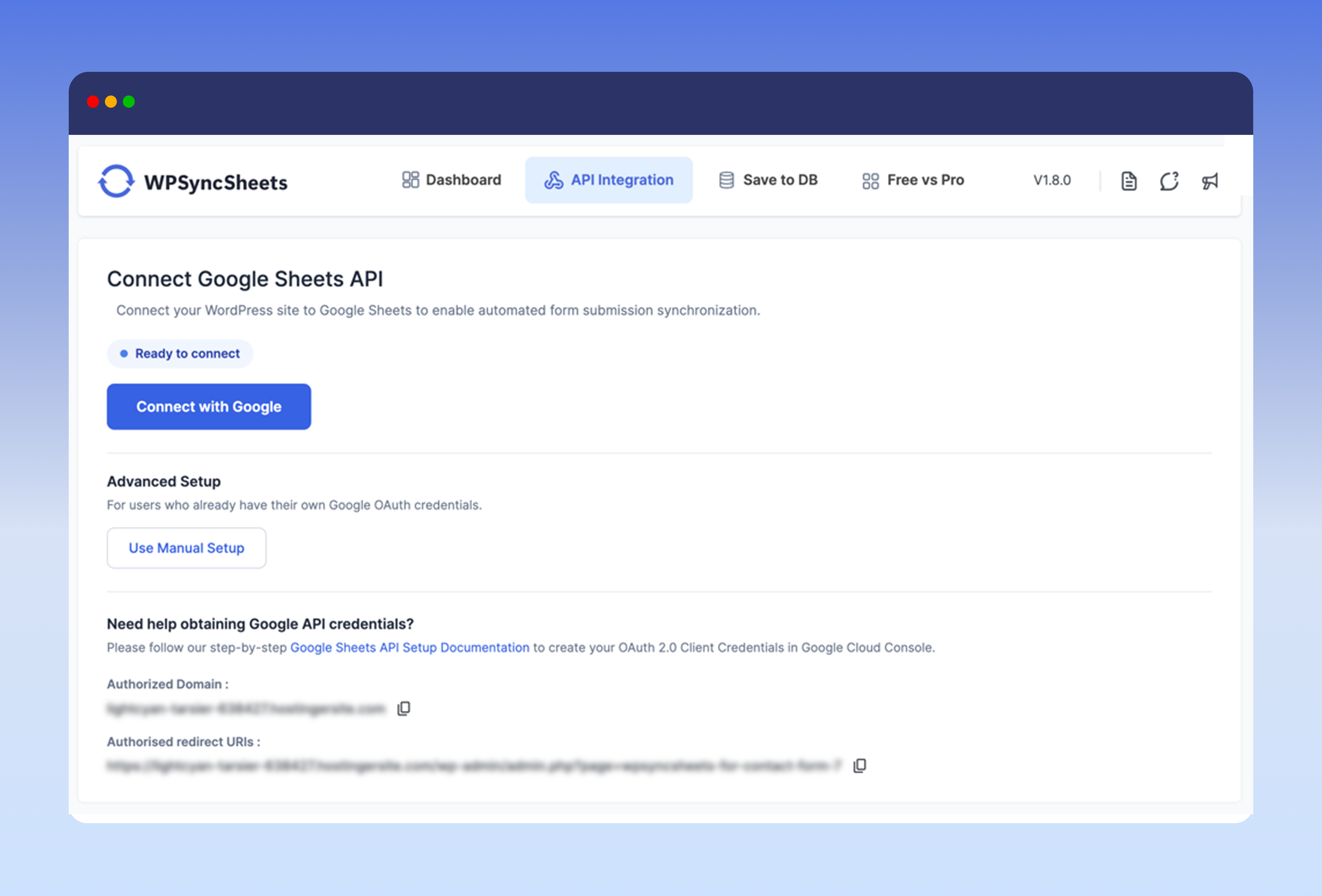
Connect Contact Form 7 to Google Sheets in one click, with no Google Cloud project, API keys, or Client ID setup required. A guided Setup Wizard walks you through connecting your account, choosing a spreadsheet, mapping your form fields, and running a test entry. Prefer to use your own Google API credentials? That option is still available. -
Garda envíos de formularios na base de datos
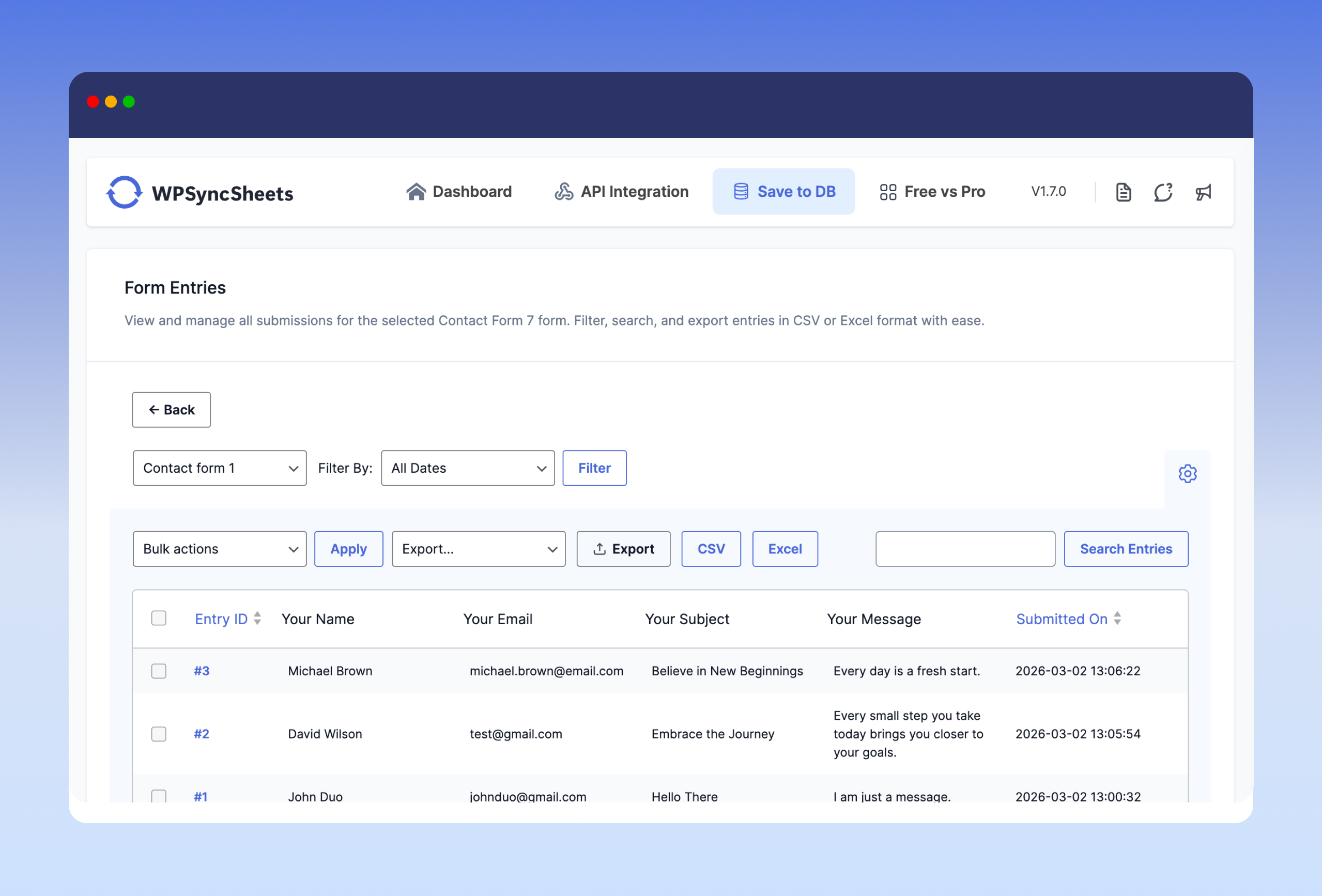
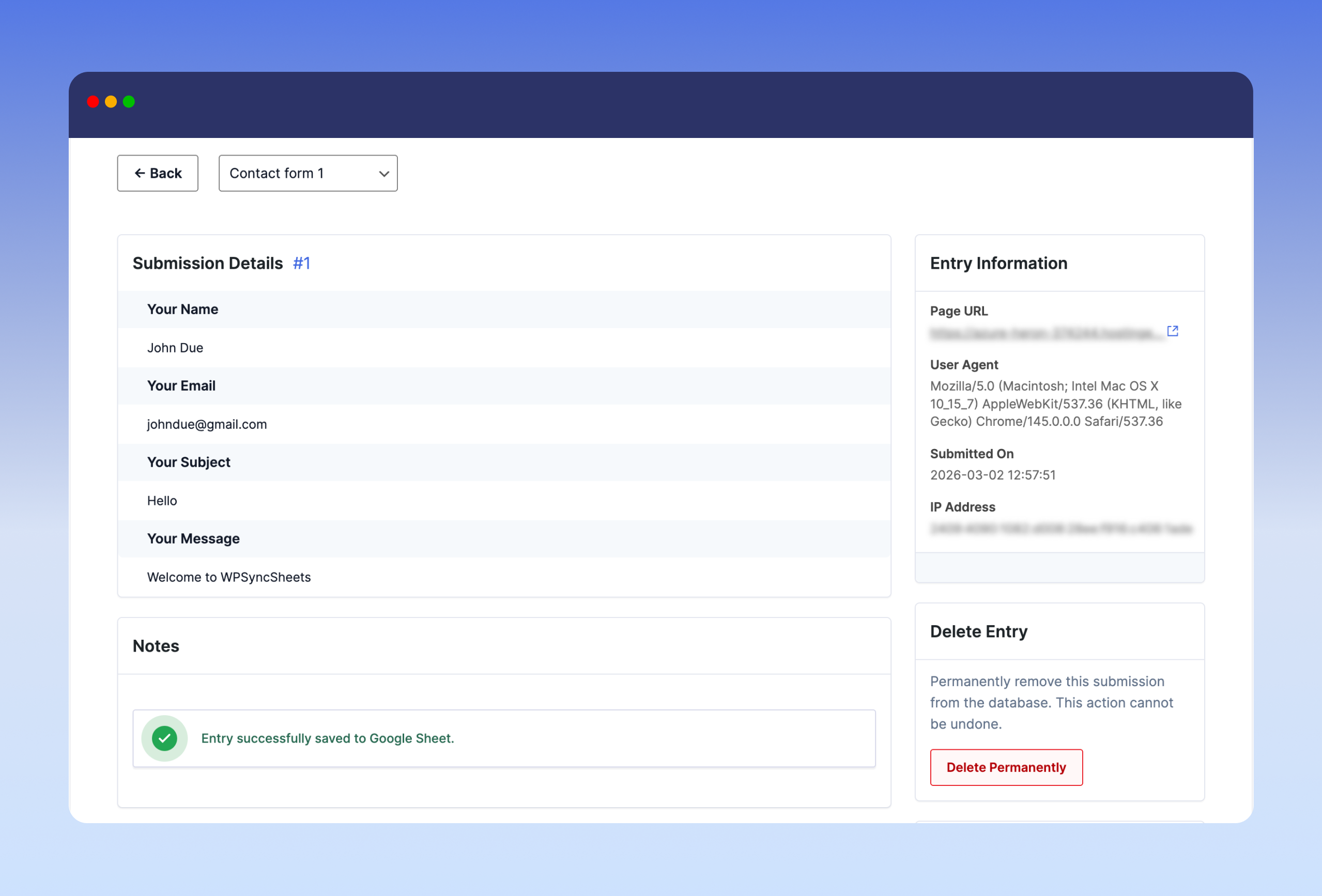
O plugin de base de datos para Contact Form 7 permíteche gardar os envíos de Contact Form 7 na túa base de datos de WordPress. Tamén almacena todas as entradas do formulario nunha única táboa de base de datos optimizada e en Google Sheets. Ten a capacidade de amosar o número de entradas de cada formulario con opcións de busca e filtro. Cada envío de Contact Form 7 ten a súa propia páxina de detalles da entrada para engadir notas, amosar a data de envío, a URL da páxina da tenda e moito máis. -
Exportar entradas de Contact Form 7 a Google Sheets, CSV e Excel
O conector CF7 para Google Sheets é a ponte entre o plugin Contact Form 7 de WordPress e Google Sheets. Axúdache a exportar todas as túas envíos de formulario a Excel e CSV que xa están almacenados na base de datos de WordPress. O plugin WPSyncSheets For Contact Form 7 tamén ten a capacidade de exportar entradas con filtro de data (Hoxe, Últimos 7 días, Este mes, Intervalo personalizado) e de exportar as entradas de CF7 por formulario. -
Panel de control moderno e elegante para unha xestión sinxela de entradas de CF7
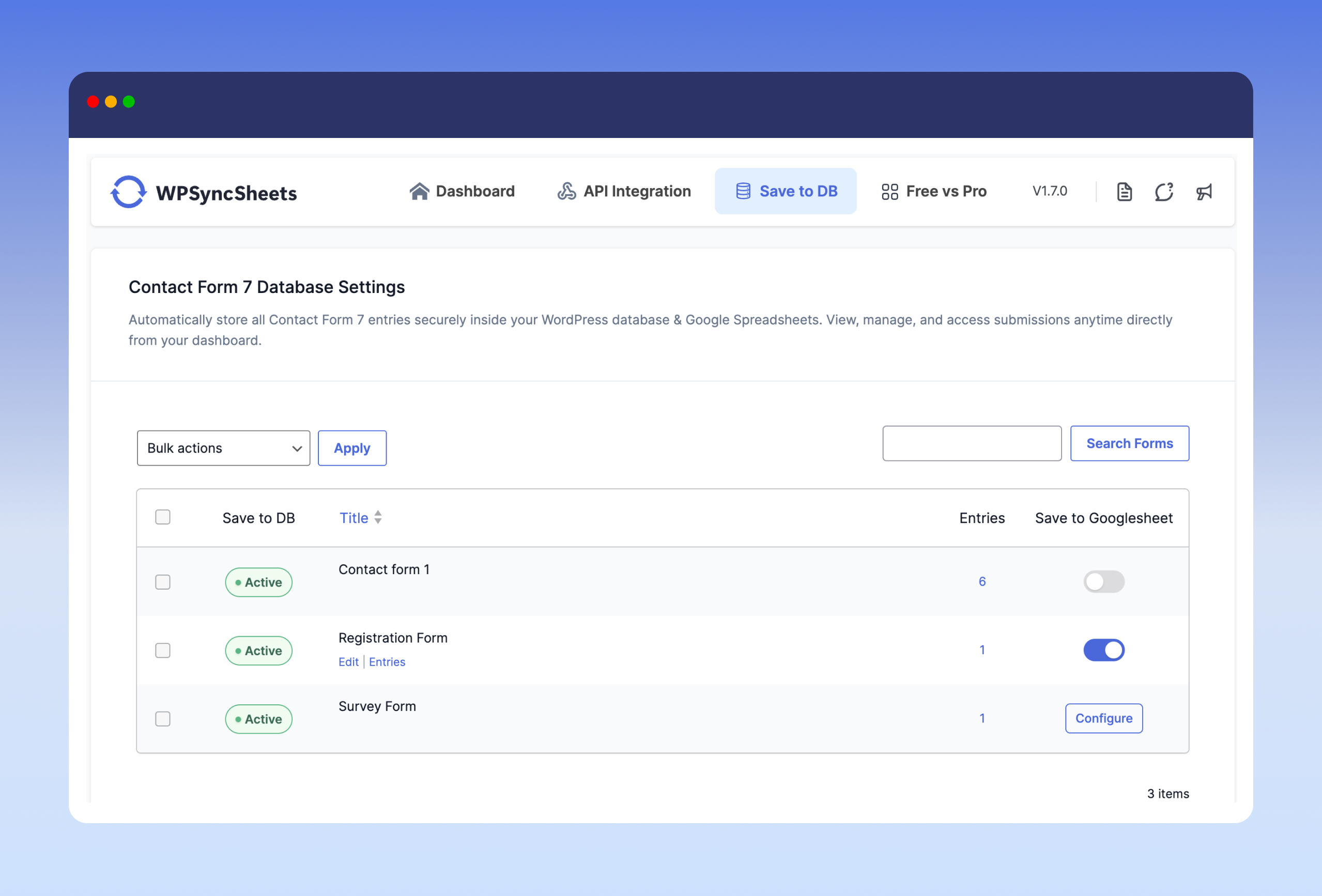
WPSyncSheets para Contact Form 7 inclúe un panel de control limpo dentro da administración de WordPress que amosa todos os formularios de Contact Form 7 e o seu estado de conexión con Google Sheets ou Gardar na base de datos. Podes xestionar todas as integracións desde CF7 Google Sheets ou Base de datos.
Actualiza ás Funcións Pro
✅ Edit Sheet Headers – Rename spreadsheet columns from plugin settings
✅ Sort Sheet Headers – Reorder columns to match your desired field layout
✅ Payment Status Control – Sync entries only after PayPal or Stripe payment is successful
✅ Save File Uploads – Store uploaded files and add clickable links in the spreadsheet
Podes consultar o guía de usuario para configurar facilmente o plugin ou ver o vídeo de abaixo en Como exportar as entradas de Contact Form 7
Plugins relacionados de Google Sheets para importación e exportación
WPSyncSheets conecta as plataformas WordPress e WooCommerce con Google Sheets. A nosa misión é axudar ás empresas a automatizar a transferencia de datos, simplificar as operacións e reducir as tarefas repetitivas mediante a sincronización bidireccional de datos en tempo real.
🔸 WPSyncSheets para WooCommerce: Importar e exportar pedidos, produtos, clientes e cupóns de WooCommerce.
🔸 WPSyncSheets para Gravity Forms: Envía envíos de Gravity Forms a Google Sheets en tempo real.
🔸 WPSyncSheets For Core: Importar, exportar e editar en masa publicacións e páxinas de WordPress a través de Google Sheets.
🔸 WPSyncSheets para Elementor: Mapa e sincroniza as entradas do formulario de Elementor con Google Sheets en tempo real.
🔸 WPSyncSheets For Document Library Pro: Sincroniza os documentos de Document Library Pro con Google Sheets.
🔸 WPSyncSheets For WPForms: Mapea & sincroniza as entradas de WPForms con Google Sheets.
🔸 WPSyncSheets para Ninja Forms: Sincroniza automaticamente as entradas do formulario Ninja con Google Sheets.
🔸 WPSyncSheets para Fluent Forms: Sincroniza as entradas de Fluent Form con Google Sheets en tempo real.
🔸 WPSyncSheets para Formidable Forms: Mapa e sincroniza automaticamente as entradas do formulario Formidable en Google Sheets.
External services
This plugin relies on the following third-party services. Nothing is sent to any of them until you connect the plugin or explicitly opt in.
Google Sheets and Google Drive
Connecting a Google account is what makes the plugin work: your Contact Form 7 entries are written to a spreadsheet in your own Google Drive.
What is sent, and when:
- When you connect your account, the plugin requests a single read of your Google account email address (via the Google OAuth userinfo endpoint) so it can show which account is connected.
- When you pick a spreadsheet, the plugin reads the names and IDs of spreadsheets in your Drive, and the sheet/tab names inside the spreadsheet you select.
- When a Contact Form 7 form is submitted, the mapped field values for that submission are written to your chosen spreadsheet. Only the fields you map are sent.
The requested Google permissions are limited to Google Sheets access and read-only Google Drive metadata. This service is provided by Google.
- Terms of service: https://policies.google.com/terms
- Google APIs terms of service: https://developers.google.com/terms
- Privacy policy: https://policies.google.com/privacy
WPSyncSheets connection service (api.wpsyncsheets.com)
Used only if you choose the One-Click connection option instead of entering your own Google API Client ID and Secret. In that mode a service operated by WPSyncSheets performs the Google OAuth handshake on your behalf, so you do not have to create your own Google Cloud project. If you connect using your own Client ID and Secret, this service is not contacted at all.
What is sent, and when:
- When you start a one-click connection: your site URL, home URL, plugin version, plugin identifier, and a randomly generated installation identifier.
- When the connection completes: the installation identifier and the one-time authorisation code returned by Google.
- When an access token expires and is renewed: the installation identifier and the refresh token.
- When you disconnect the account: the installation identifier.
Your form entries are never routed through this service; form data always goes directly from your site to Google.
- Terms of service: https://www.wpsyncsheets.com/terms-and-conditions/
- Privacy policy: https://www.wpsyncsheets.com/privacy-policy/
WPSyncSheets feedback service (feedback.wpsyncsheets.com)
Used only if you deactivate the plugin, fill in the optional feedback form, and tick the consent checkbox. Choosing “Skip and Deactivate”, or deactivating without consenting, sends nothing.
What is sent, and when: the deactivation reason you select, any comments you type, the plugin name, version and type, your site URL, and your site’s administrator email address. This is sent once, at the moment you submit the form.
- Terms of service: https://www.wpsyncsheets.com/terms-and-conditions/
- Privacy policy: https://www.wpsyncsheets.com/privacy-policy/
Capturas

Instalación
- Subir toda a carpeta ‘contactsheets-lite’ ao directorio ‘/wp-content/plugins/’.
- Activa o plugin a través da pantalla de plugins (plugins > plugins instalados).
Atoparás o menú WPSyncSheets For Contact Form 7 na pantalla de administración de WordPress.
Para un uso básico, botade unha ollada á Documentación do plugin.
Preguntas frecuentes
-
Podo sincronizar varios formularios de Contact Form 7 con diferentes follas de Google?
-
Si, cada formulario pode conectarse a unha folla de cálculo ou unha pestana de folla separada segundo os teus axustes.
-
Por que os datos do formulario non se envían a Google Spreadsheet ou simplemente non cargan?
-
Adding data to the spreadsheet can take a few moments, but if entries never show up, try the following:
- Disconnect and reconnect your Google account from the plugin settings page.
- Make sure the selected spreadsheet and sheet tab still exist and have not been renamed or deleted.
- Avoid naming a sheet tab something that looks like a cell reference (for example “CF7” or “A1”), as Google Sheets can interpret those as a cell address.
- If you connected using your own Google API credentials, confirm that both the Google Sheets API and the Google Drive API are enabled in your Google Cloud project.
-
Podo reordenar/engadir/editar as columnas da cabeceira das follas en Google Spreadsheets?
-
Renaming and reordering spreadsheet columns from the plugin settings is available in the Pro version. In the free version you can choose which mapped fields are active, and the sheet headers are generated from that selection.
-
É posible sincronizar os datos só despois dun pago exitoso (PayPal/Stripe)?
-
Si, a versión Pro ofrece sincronización condicional en función do estado de pago completado.
-
Como rexistra o plugin a data e a hora da envío do formulario?
-
Podes activar a opción Data e hora de envío para incluír automaticamente a data e a hora exactas con cada entrada en Google Sheets e na base de datos.
-
¿Garda o plugin as envíos do Contact Form 7 na base de datos de WordPress?
-
Si, o plugin garda automaticamente de xeito seguro todas as entradas de Contact Form 7 na túa base de datos de WordPress.
-
Podo habilitar o salvamento da base de datos só para formularios específicos?
-
Si, podes activar ou desactivar o almacenamento de bases de datos individualmente para cada formulario de Contact Form 7.
-
Onde podo ver as entradas gardadas de Contact Form 7?
-
Todas as entradas gardadas pódense ver directamente desde o panel de control do plugin WPSyncSheets For Contact Form 7. Podes filtrar, buscar e xestionar as entradas por formulario.
-
Podo exportar as entradas gardadas de Contact Form 7?
-
Si, podes exportar entradas en formato CSV ou Excel con opcións de busca e filtrado por data.
-
Perderanse os meus datos se a sincronización de Google Sheets falla?
-
Non, mesmo se a sincronización de Google Sheets falla, as túas envíos de formularios seguen almacenados de forma segura na túa base de datos de WordPress (se a gardado na base de datos está habilitado).
-
Do I need to create a Google Cloud project or API keys?
-
No. The One-Click connection handles the Google authorisation for you, so no Google Cloud project, Client ID, or Client Secret is needed. If you would rather use your own Google API credentials, that option is still available on the settings page.
-
Can I run the Setup Wizard again later?
-
Yes. The Setup Wizard can be restarted at any time from the plugin settings page if you want to reconnect your account or reconfigure a form.
-
Necesito coñecementos de programación para usar este plugin?
-
Non, o plugin é fácil de usar e está deseñado para non desenvolvedores. Todos os axustes xestionanse mediante unha interface sinxela.
Comentarios


Colaboradores e desenvolvedores
“WPSyncSheets para Contact Form 7 – Conector de Google Sheets CF7 e gardar na base de datos” é un software de código aberto. As seguintes persoas colaboraron con este plugin.
Colaboradores

“WPSyncSheets para Contact Form 7 – Conector de Google Sheets CF7 e gardar na base de datos” foi traducido a 1 idioma. Grazas aos desenvolvedores polas súas contribucións.
Interesado no desenvolvemento?
Revisa o código, bota unha ollada aorepositorio SVN, ou subscríbete ao log de desenvolvemento por RSS.
Rexistro de cambios
1.8.0 – Wednesday, 16th September 2026
- Added: Interactive Setup Wizard for guided onboarding and initial setup.
- Added: One-Click direct connection to Google Sheets.
- Added: Streamlined form selection and configuration workflow.
1.7.4 – Thursday, 16th July 2026
- Improved: Code optimizations.
1.7.3 – Tuesday, 23rd June 2026
- Fix: Hidden field type (CF7 [hidden] tag) is now detected and listed in the Sheet header mapping panel.
1.7.2 – Saturday, 30th May 2026
- Tested with WordPress 7.0.
1.7.1 – Tuesday, 18th March 2026
- Modificado: actualizouse o dominio de texto do plugin de wpssc a contactsheets-lite para que coincida co slug do plugin.
- Modificado: ficheiro de plantilla de tradución (.pot) rexenerado.
1.7.0
- Novo: Engadiuse unha opción para activar ou desactivar o almacenamento das envíos do Contact Form 7 na base de datos de WordPress.
- Novo: Engadiuse unha pestana dedicada “Gardar na base de datos” no panel de administración.
- Novo: Engadiuse unha listaxe separada de formularios con almacenamento en base de datos habilitado.
- Novo: Engadiuse unha páxina de entradas dedicada para ver as submisións almacenadas na base de datos.
- Mellora: fiabilidade dos datos mellorada con almacenamento dual opcional (Google Sheets e base de datos).
1.6.9.7
- Solucionáronse as iconas faltantes na páxina de axustes do formulario.
- Introduciuse unha interface de usuario/UX de axustes renovada cun fluxo de configuración mellorado.
- Optimizacións de código e melloras de rendemento
1.6.9.6
- Código optimizado
1.6.9.5
- Probeado con Contact Form 6.1.4
- Probado con WordPress 6.9
1.6.9.4
- Engadir a funcionalidade “Deixar unha reseña”
1.6.9.3
- Solución: Corrixiuse a falta de cabeceiras recentemente engadidas no panel de axustes.
1.6.9.2
- Código optimizado
1.6.9.1
- Probeito con Contact Form 7 6.1.1
- Probado con WordPress 6.8.2
1.6.9
- Solucionado: avisos de PHP por variable non definida
$wpsswp_statuse acceso nulo a índices de matriz no plugin.
1.6.8
- Engadir o enlace “Actualizar a Pro”
1.6.7
- Engadir pestana do panel de control
1.6.6
- Engadir popup do formulario de comentarios
- Cambios de UI e UX
1.6.5
- Código optimizado
1.6.4
- Cambios de UI/UX
1.6.3
- Probegado con WordPress 6.8
1.6.2
- Solucionado: Solucionouse un problema co token de actualización.
1.6.1
- Realizouse a comprobación da capacidade do usuario para a execución segura da operación.
1.6
- Engadiuse funcionalidade de nonce para mellorar a seguridade nas operacións do plugin.
1.5.4
- Engadir capacidades ao usuario para xestionar tanto a configuración principal como as configuracións de formularios.
1.5.3
- Probado con WordPress 6.7.1
- Actualizado e probado coa biblioteca Guzzle 7.9.2
- Código optimizado
1.5.2
- Código optimizado
1.5.1
- Integración de novos deseños
- Probado con WordPress 6.6.1
- Código optimizado
1.5
- Código optimizado
1.4
- Activar / Desactivar os encabezados de folla
- Congelar encabezados
- Data de presentación
- Boto de limpar folla de cálculo
- Código optimizado
1.3
- Código optimizado
1.2
- Código optimizado
- Mellora dos estándares de codificación e parche de seguridade
1.1
- Código optimizado
- Descargar botón de folla de cálculo
- Cargar biblioteca
1.0
- Versión inicial