
Descrición
ActionPanel AI is an AI assistant built into wp-admin that can create and edit WordPress content, troubleshoot problems, and carry out maintenance — all from a chat panel inside your dashboard.
Instead of switching between the block editor, Site Health, plugin screens, settings pages, and docs, you describe what you want in plain English. ActionPanel AI reads the relevant parts of your site, proposes changes, and — with your approval — applies them.
Create and manage content
- Posts and pages: Draft new posts and pages, rewrite or extend existing content, and edit block content directly. New drafts and edits are yours to review before anything goes live.
- Custom post types and fields: Create and update custom post types and custom fields on sites using Advanced Custom Fields (ACF) or JetEngine.
- Menus, categories, and tags: Build and reorganize navigation menus and manage categories, tags, and other taxonomy terms.
- Media: Add and organize items in the media library and set featured images. You can also share an image in chat for ActionPanel AI to use while it works.
- SEO: Update SEO titles, descriptions, canonical URLs, and social (Open Graph) metadata through your active SEO plugin — Yoast SEO, Rank Math, or All in One SEO.
- Site design: Adjust block templates, template parts, and global styles, or apply custom CSS to specific pages.
- Cloning: Duplicate an existing post or page as a draft to use as a starting point.
Troubleshoot and maintain
- Site troubleshooting: Ask what might be broken, why a page is returning an error, why links are failing, or what to check after a site change.
- Performance checks: Review plugin bloat, autoloaded options, homepage assets, scheduled task backlogs, and other common causes of slow WordPress sites.
- Plugin and theme review: Find outdated, duplicated, inactive, or potentially risky plugins and themes, then get plain-language next steps.
- Site Health summaries: Turn WordPress Site Health, REST/runtime details, and maintenance signals into a prioritized explanation of what matters.
- WooCommerce checks: Review common store setup areas such as checkout pages, payment gateways, shipping zones, and basic configuration.
- Debug log help: When log reads are enabled, use sanitized excerpts from a readable WordPress debug log file to help explain errors and warnings.
- Guided maintenance actions: When write operations are enabled, ActionPanel AI can propose supported maintenance actions — such as clearing caches, flushing rewrite rules, running scheduled tasks, and updating allowlisted settings — and explain what they do before you approve them.
Common tasks
Use ActionPanel AI when you need to:
- Draft a new post or page or revise existing content.
- Update SEO titles and descriptions or fix metadata across your content.
- Build or reorganize a navigation menu, categories, or tags.
- Check whether a site is ready for plugin, theme, or WordPress core updates.
- Understand why a page, checkout, form, or permalink may not be working.
- Review plugin clutter and get a plain-English summary of Site Health and maintenance issues.
- Investigate slow pages without jumping between multiple admin screens.
Built for wp-admin workflows
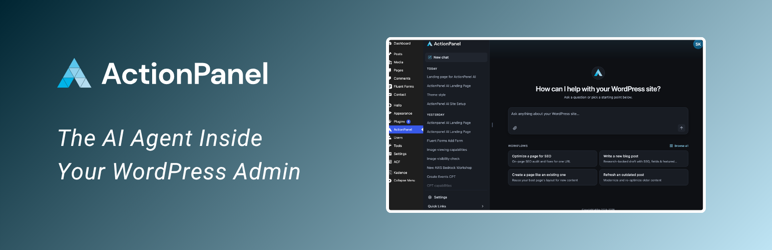
ActionPanel AI lives in the WordPress dashboard, keeps recent conversations available in a sidebar, and includes starter prompts for common content, maintenance, and troubleshooting tasks.
It is designed for site owners, content creators, developers, agencies, and support teams who want faster help rather than spending hours in admin screens or documentation.
Site context it can use
To answer questions and make changes, ActionPanel AI can use selected WordPress context such as post and page content (including block content and custom fields), menus, categories and tags, media details, block templates, template parts, and global styles, along with plugin and theme details, Site Health results, REST/runtime information, scheduled tasks, performance signals, WooCommerce setup, same-site page checks, and approved debug log excerpts.
Write operations are optional and turned off until you enable them. When enabled, they cover content and site changes (such as posts, pages, custom post types and fields, menus, taxonomy terms, media, SEO fields, templates, and global styles) as well as maintenance actions (such as clearing caches, flushing rewrite rules, running scheduled tasks, and updating allowlisted settings).
You stay in control
- Admin-only access inside WordPress.
- Reads and writes can each be turned on or off in ActionPanel settings.
- Optional per-request approval before site data is shared.
- Optional read-only debug log sharing that can be turned off anytime.
- Live-impacting changes — publishing, editing, or deleting existing content, and maintenance actions — require explicit approval; safe draft-only writes may be approved automatically when that setting is enabled.
External Services
This plugin connects to an external service at https://api.actionpanelai.com.
Plugin UI JavaScript/CSS assets are bundled locally in the plugin (not remote-loaded), and any external links shown in the UI are only opened through user-initiated navigation.
Requests are sent when:
- An administrator allows WordPress to send requests to ActionPanel AI and uses chat, content, or diagnostic tools.
- The assistant reads site data or content needed to answer a question or make a requested change.
- An administrator asks the assistant to create or edit content and, where required, approves the change.
- Account/login features are used.
- Optional log reads are enabled to read sanitized excerpts from a readable WordPress debug log file when
WP_DEBUGis enabled andWP_DEBUG_LOGis set to true or an absolute file path. - WordPress personal data export/erase tools are used for ActionPanel AI data.
Data may include (depending on feature use):
- Chat messages.
- Images you attach in chat.
- Post and page content, including block content and custom fields, that the assistant reads or is asked to create or edit.
- Menu, taxonomy, media, template, template-part, and global-style data for content and design changes.
- SEO field values read from or written through your active SEO plugin.
- Site diagnostics/context.
- Site configuration summaries, including plugin/theme details, WordPress settings, REST/runtime, and performance diagnostics.
- Same-site diagnostic HTTP results, such as response status, selected headers, asset URLs, and redacted text previews from pages an administrator asks the assistant to inspect.
- Sanitized excerpts from a readable WordPress debug log file (only if enabled).
- Sampled or masked user/account metadata used for troubleshooting.
- Sanitized home-root server configuration snippets and drop-in metadata.
- Allowlisted theme or upload file metadata or text contents, plus plugin manifests, needed for troubleshooting.
- Session/auth metadata required for service operation.
- Email address and site URL for account and privacy workflows.
Safeguards:
- External API calls are disabled by default on fresh installs until an administrator completes setup.
- Write operations are optional and disabled until an administrator enables them.
- “Per-Request Approval for Reads” can require a preview and approval before site data is shared.
- Log reads are optional, read-only, require
WP_DEBUGplusWP_DEBUG_LOGset to true or an absolute debug log file path, and can be turned off at any time. - AI initiated write operations require explicit approval before live changes are applied; only safe draft-only writes may be auto-approved, and only when that setting is enabled.
Service policies:
- Privacy Policy: https://actionpanelai.com/privacy/
- Terms of Service: https://actionpanelai.com/terms/
Privacy
ActionPanel AI can send prompts and selected site context to external ActionPanel AI services when used.
Depending on feature use, this can also include conversation history, images you attach in chat, post and page content (including block content and custom fields) that is read or edited, menu, taxonomy, media, template, and global-style data, SEO field values, configuration summaries, plugin/theme details, selected WordPress settings, sampled or masked user/account metadata, sanitized home-root server configuration snippets, plugin/drop-in metadata, and allowlisted theme or upload file metadata or contents needed for troubleshooting.
Optional log sharing includes sanitized excerpts from a readable WordPress debug log file only when enabled. The plugin does not create, write, rotate, or relocate log files.
Anonymous plugin session chat data is retained for up to 7 days before automatic deletion.
Data Export and Erasure
For account-linked data, WordPress Tools -> Export Personal Data and Tools -> Erase Personal Data can request site-scoped export/erase by email.
The plugin exposes a public privacy-proof REST endpoint that returns only a challenge signature and site host; this lets ActionPanel AI verify site control before processing remote personal data export or erasure requests.
Source Code For Bundled Assets
The distributed JavaScript/CSS bundle in /build is generated from source included in this plugin package at:
/assets-src/frontend
Build/reproduction notes are included at:
/assets-src/BUILD.md
Capturas


Instalación
- Upload the plugin files to
/wp-content/plugins/actionpanel-ai, or install through WordPress Plugins. - Activate the plugin through the “Plugins” screen.
- Open “ActionPanel” in wp-admin and complete setup.
- Configure options under ActionPanel -> Settings.
Preguntas frecuentes
-
Who should use ActionPanel AI?
-
Anyone who manages a WordPress site and wants to increase the efficiency of their workflow — creating and editing content, updating SEO, and troubleshooting — without jumping between docs, forums, and plugin settings.
-
Do I need an account?
-
No, although creating an account will give you access to higher usage limits.
-
Can it edit my content and settings?
-
Yes, when write operations are enabled in ActionPanel -> Settings. It can draft and edit posts and pages, manage menus, categories, tags, and media, update SEO fields through your active SEO plugin, adjust templates and global styles, and run approved maintenance. Write operations are off until you enable them.
-
Does it make changes automatically?
-
Reads never change your site. Write operations are optional and disabled unless you turn them on. Even then, changes that affect your live site — publishing, editing, or deleting existing content, and maintenance actions — are approval-gated and applied only after you approve them. Safe, draft-only writes can be approved automatically, and only when you enable that setting.
-
Depending on the feature being used and your settings, ActionPanel AI may send prompts, conversation history, post and page content (including block content and custom fields) that it reads or is asked to create or edit, images you attach in chat, menu, taxonomy, media, template, and global-style data for content and design changes, site diagnostics and configuration summaries, plugin/theme details, selected WordPress settings, optional sanitized excerpts from a readable WordPress debug log file, sampled or masked user/account metadata, sanitized home-root server configuration snippets, plugin/drop-in metadata, and allowlisted theme or upload file metadata or contents needed for troubleshooting.
-
Yes. You can turn off WordPress-to-ActionPanel AI requests, disable log reads, disable write operations, and enable per-request read approval in ActionPanel -> Settings.
-
How can I export or erase ActionPanel AI data?
-
Use WordPress Tools -> Export Personal Data or Tools -> Erase Personal Data with the account email used in ActionPanel AI.
-
Where can I get support?
-
Use the WordPress.org support forum for plugin questions. For ActionPanel AI account or service questions, visit https://actionpanelai.com/.
Comentarios
Non hai recensións para este plugin.
Colaboradores e desenvolvedores
“ActionPanel AI – Site Agent & Troubleshooter” é un software de código aberto. As seguintes persoas colaboraron con este plugin.
Colaboradores
Traduce “ActionPanel AI – Site Agent & Troubleshooter” ao teu idioma.
Interesado no desenvolvemento?
Revisa o código, bota unha ollada aorepositorio SVN, ou subscríbete ao log de desenvolvemento por RSS.
Rexistro de cambios
1.0.0
- Added AI-assisted content workflows for drafting, editing, cloning, and revising WordPress content.
- Added support for custom post types and fields, menus, taxonomy terms, media, templates, global styles, and page-specific CSS.
- Added SEO metadata workflows for Yoast SEO, Rank Math, and All in One SEO.
- Added image-aware chat and expanded site troubleshooting for performance, Site Health, WooCommerce, debug logs, and same-site page checks.
- Redesigned the admin chat interface.
- Added improved admin controls for external requests, log reads, write operations, read approvals, and safe draft-only auto-approval.
0.1.0
- Initial WordPress.org release.