

Descrición
Take complete control of your WordPress login experience! Sky Login Redirect is the most flexible and powerful login/logout redirect plugin for WordPress, trusted by thousands of sites worldwide.
🎯 Why Choose Sky Login Redirect?
Perfect for:
✓ Membership sites that need role-based redirects
✓ WooCommerce stores wanting seamless checkout flows
✓ Multi-author blogs with custom dashboards
✓ Client sites requiring branded login pages
✓ Any site wanting better user experience
🚀 Core Features (FREE)
Smart Redirects
* Redirect users to previous page they were viewing
* Set redirects by user role (Admin, Editor, Subscriber, etc.)
* Target specific users with custom redirects
* Global redirects for all users
* Separate login and logout redirect rules
* Automatic loop detection prevents infinite redirects
Login Page Customizer
* Custom logo upload
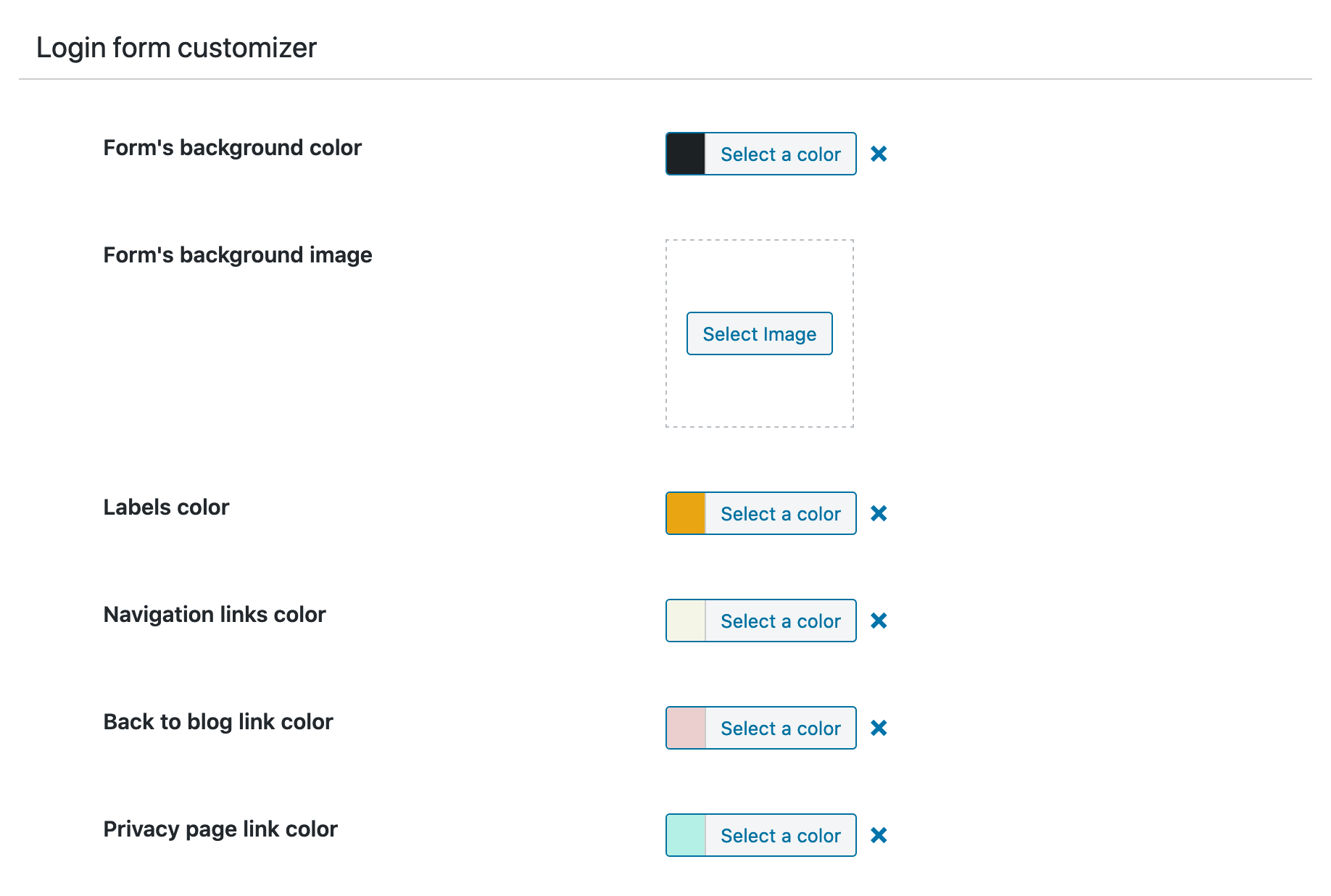
* Background color or image
* Form styling (colors, borders, padding)
* Button customization (colors, size, alignment)
* Live preview of changes
* No coding required!
WooCommerce Integration (Enhanced in v4.1)
* Preserves cart/checkout redirects automatically
* Smart My Account endpoint handling
* Prevents redirect loops on customer-logout
* Shop page fallback on logout
Performance & Security
* Built with modern PHP 8.1+ architecture
* AJAX-powered admin interface
* Rate limiting on AJAX endpoints
* Dual-layer caching for speed
* 40-60% faster than previous versions
⚡ Technical Excellence
- Modern codebase: Enums, readonly classes, strict types
- Enterprise-grade security: Rate limiting, output escaping, nonce verification
- Optimized performance: Object caching, transients, minimal database queries
- Developer-friendly: Debug logging, extensible architecture, clean code
Important: Version 4.1.0 requires PHP 8.1 or higher for modern features and enhanced security.
💎 Pro Features
Upgrade to Sky Login Redirect Pro for advanced functionality:
Advanced Redirects
* More granular redirect rules
* Easy Digital Downloads integration
* Advanced WooCommerce customization
* Conditional logic for redirects
Content Restriction
* Restrict pages/posts to logged-in users
* Role-based content access control
* Redirect non-authorized users
Shortcodes & Widgets
* [slr_login_form] – Embed login form anywhere
* [slr_login_link] – Custom login/logout links
* Automatic menu integration
* Modal login form with customizer
Enhanced Customization
* WooCommerce My Account page styling
* Custom CSS editor
* Additional UX/UI options
* Advanced form styling
Priority Support
* Direct developer access
* Faster response times
* Custom feature requests considered
Capturas



Instalación
- Install the plugin.
- Activate the plugin through the ‘Plugins’ menu in WordPress.
- Visit the ‘Login Redirect’ settings page to set your login and logout redirects or edit your login page’s styles.
Preguntas frecuentes
-
How do I set up redirects?
-
- Go to Settings Login Redirect in your WordPress admin
- Choose your redirect type (Previous Page, Custom Page, or WordPress Default)
- Select which users/roles the redirect applies to
- Save changes and test!
-
Can I redirect different user roles to different pages?
-
Yes! You can set unique redirects for each user role (Administrator, Editor, Author, Subscriber, etc.) and even target specific users by username.
-
Does it work with WooCommerce?
-
Absolutely! Version 4.1.0 includes enhanced WooCommerce integration:
* Preserves cart/checkout redirects automatically
* Smart My Account endpoint handling
* Customizable logout redirects
* No conflicts with WooCommerce login flow -
Will it work with my membership plugin?
-
Yes! Sky Login Redirect is compatible with most membership plugins including MemberPress, Restrict Content Pro, Paid Memberships Pro, and others.
-
Redirections don’t seem to trigger – what should I do?
-
- Verify redirect rules are saved in Settings Login Redirect
- Clear your browser cache and cookies
- Re-save permalinks: Settings Permalinks Save Changes
- If using WooCommerce, re-save WooCommerce settings
- Check for plugin conflicts by temporarily disabling other plugins
-
Can I redirect users back to the page they were viewing?
-
Yes! Select “Previous Page” as your redirect option. The plugin intelligently tracks the last page visited and redirects users there after login.
-
Does it support custom login pages?
-
Yes! The plugin includes a visual login page customizer where you can:
* Upload custom logos
* Change colors and backgrounds
* Style forms and buttons
* Match your brand perfectly -
What’s new in version 4.1.0?
-
Version 4.1.0 brings major improvements:
* Modern PHP 8.1+ architecture for better performance
* Enhanced WooCommerce integration
* AJAX rate limiting for security
* Improved redirect loop detection
* Cleaner, more maintainable codebase -
Is it translation ready?
-
Yes! The plugin is fully translation-ready and includes a .pot file for translators.
-
Where can I get support?
-
Free support is available through the WordPress.org support forum. Pro users get priority email support.
Comentarios


Colaboradores e desenvolvedores
“Sky Login Redirect” é un software de código aberto. As seguintes persoas colaboraron con este plugin.
Colaboradores
Traduce “Sky Login Redirect” ao teu idioma.
Interesado no desenvolvemento?
Revisa o código, bota unha ollada aorepositorio SVN, ou subscríbete ao log de desenvolvemento por RSS.
Rexistro de cambios
4.2.7 – 2026-07-27
- Fix – Prevented a fatal error during logout caused by an incorrect
wp_logoutcallback signature. - Development – Added real WordPress integration and browser authentication test layers.
- Fix – Previous-page redirects now work when the modal login form is enabled globally.
- Fix – The global modal login now refreshes the page on which it was opened. It no longer consumes or follows the previous-page redirect used by dedicated WordPress, WooCommerce, and EDD login forms.
- Fix – Previous-page tracking works when the modal is rendered globally, and dedicated WooCommerce and EDD forms receive the correct referrer without duplicate fields.
- Fix – Prevented a fatal error during logout caused by an incorrect
wp_logoutcallback signature. - Development – Added isolated PHP/JavaScript tests, real WordPress integration tests, browser authentication and commerce journeys, dependency audits, and release-package validation.
- Packaging – PHPUnit cache artifacts are excluded from release archives and repeated release builds overwrite their target non-interactively.
4.2.6 – 2026-07-23
- Fix – WooCommerce login bypassed all per-user/role redirect rules. WooCommerce fires
woocommerce_login_redirectinstead of WordPress’slogin_redirect, so the rule engine never ran for WC logins.getCurrentAction()now maps WC and EDD filter names to the correct action types;handleLogin()now delegates to the rule engine before falling through to WC-specific defaults. - Fix – “Previous page” redirect was ignored on WooCommerce and custom login pages.
slr-login-injector.jswas only enqueued onwp-login.php. It now also loads on all frontend pages for logged-out users (self-exits on pages without a login form), covering My Account, custom/login/pages, and any page embedding a WC login form shortcode. - Fix – Custom login page used as the redirect target on login, creating a loop.
isRefererLoginPage()now also recognises the WooCommerce My Account URL and the plugin’s configured custom login page as login page referers, preventingwp_get_referer()from returning the login page itself as “previous page”. - Fix – A redirect rule with no action configured for the current event (e.g. login-only rule triggering on logout) silently sent users to wp-admin.
getRedirectUrlForRule()now returnsnullfor unconfigured actions, allowing the next rule or the WordPress default to apply. - Fix – Potential TypeError in PHP strict mode when a page assigned to a rule was deleted.
get_permalink()returnsfalsefor missing posts, which violated the?stringreturn type ofgetPageUrl(). Both code paths now coercefalsetonull. - Fix – EDD logins now use per-user and per-role rules; modal and embedded login forms preserve the true previous page.
- Fix – Custom login URLs preserve nested paths and WordPress Remember Me duration is unchanged when custom timeout is disabled.
- Hardening – Prior-page scripts load only when needed and store a short-lived same-origin URL with sensitive parameters removed.
- Fix – Modal throttling counts failures only; empty option caches no longer trigger repeated database reads.
- Fix – WooCommerce logout rules now use the supported hook and EDD previous-page redirects support shortcode and block login forms.
- Privacy – Prior-page storage excludes query strings and fragments.
- Development – Added automated redirect, tracking, session, and release-packaging regression tests.
- Packaging – Release archives now contain production dependencies only and exclude nested system metadata.
- Fix – Removed a malformed token from generated login-logo CSS.
4.2.5 – 2026-06-14
- Fix – Fatal errors when WooCommerce is deactivated while the menu-link shortcode is still in use:
add_lost_password_link()now checks forwc_get_page_id()before accessing the My Account page, andwc_page_id_cached()returns early when WooCommerce is inactive. - UI – Settings tabs are now displayed vertically for a cleaner, easier-to-navigate layout.
- UI – Save Changes button moved to the title bar; Carbon Fields sidebar hidden to reduce visual clutter.
- UI – Admin menu icon now inlined as SVG in
admin_head, removing a small async fetch on every admin page load.
Older versions changes can be found in the changelog