Title: WP Code Pre
Author: zeshanb
Published: 19 de Setembro, 2017
Last modified: 8 de Agosto, 2021
---
Buscar plugins
Este plugin **non se actualizou en máis de 2 anos**. É posible que xa non sexa compatible
ou mantido por ninguén, ou podes ter problemas de compatibilidade cando se usa con
novas versións de WordPress.
# WP Code Pre
Por [zeshanb](https://profiles.wordpress.org/zeshanb/)
[Descargar](https://downloads.wordpress.org/plugin/wp-code-pre.1.0.1.zip)
* [Detalles](https://gl.wordpress.org/plugins/wp-code-pre/#description)
* [Valoracións](https://gl.wordpress.org/plugins/wp-code-pre/#reviews)
* [Instalación](https://gl.wordpress.org/plugins/wp-code-pre/#installation)
* [Desenvolvemento](https://gl.wordpress.org/plugins/wp-code-pre/#developers)
[Soporte](https://wordpress.org/support/plugin/wp-code-pre/)
## Descrición
This simple plugin was created because of security concerns related to using PHP
preg_replace directly. With transition to PHP7, it’s advised to use preg_replace_callback
instead.
This plugin uses built-in supported feature of PHP-“highlight_string”. This plugin
filters post content inside custom html block for
and helps display html and other source code.
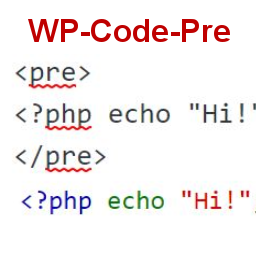
To display source code in your posts, surround source code with pre tags. Plugin
will filter for pre tags and add inline styles that may be modified using your wordpress
theme’s css stylesheet.
For WordPress versions 5.0 and above, HTML pre tags can be used within html block
or, classic block. Use the three dot menu to convert to html when there is a invalid
content error while post editing.
## Capturas
* [[
* Code preview on blog post or page
* [[
* Typing code in text tab of WordPress Admin area when writing Post.
* [[
* Convert block to html while editing to make modifications to existing source
code display
## Instalación
1. Download the plugin
2. Upload the wp-code-pre.zip folder to your site’s wp-content/plugins directory
3. Activate the plugin in the WordPress Admin Panel
4. Surround source code with `
` tags, when writing in blog posts using
Gutenberg with classic block and “Edit as HTML” or, html block
## Preguntas frecuentes
Why there aren’t any options to modify in admin?
This plugin simply filters for
pre tags.
## Comentarios
Non hai recensións para este plugin.
## Colaboradores e desenvolvedores
“WP Code Pre” é un software de código aberto. As seguintes persoas colaboraron con
este plugin.
Colaboradores
* [ zeshanb ](https://profiles.wordpress.org/zeshanb/)
[Traduce “WP Code Pre” ao teu idioma.](https://translate.wordpress.org/projects/wp-plugins/wp-code-pre)
### Interesado no desenvolvemento?
[Revisa o código](https://plugins.trac.wordpress.org/browser/wp-code-pre/), bota
unha ollada ao[repositorio SVN](https://plugins.svn.wordpress.org/wp-code-pre/),
ou subscríbete ao [log de desenvolvemento](https://plugins.trac.wordpress.org/log/wp-code-pre/)
por [RSS](https://plugins.trac.wordpress.org/log/wp-code-pre/?limit=100&mode=stop_on_copy&format=rss).
## Rexistro de cambios
#### 1.0
* First version of the plugin.
#### 1.0.1
* Updated readme to reflect updates to version 5.0
## Meta
* Versión **1.0**
* Última actualización **Fai 5 anos**
* Instalacións activas **10+**
* Versión de WordPress ** 4.0 ou superior **
* Probado ata **5.8.13**
* Versión de PHP ** 7.0 ou superior **
* Idioma
* [English (US)](https://wordpress.org/plugins/wp-code-pre/)
* Etiquetas
* [Code Highlight](https://gl.wordpress.org/plugins/tags/code-highlight/)[filter content](https://gl.wordpress.org/plugins/tags/filter-content/)
* [Vista avanzada](https://gl.wordpress.org/plugins/wp-code-pre/advanced/)
## Valoracións
Aínda non se enviaron valoracións.
[Your review](https://wordpress.org/support/plugin/wp-code-pre/reviews/#new-post)
[Ver todas as valoracións](https://wordpress.org/support/plugin/wp-code-pre/reviews/)
## Colaboradores
* [ zeshanb ](https://profiles.wordpress.org/zeshanb/)
## Soporte
Tes algo que dicir? Necesitas axuda?
[Ver o foro de soporte](https://wordpress.org/support/plugin/wp-code-pre/)